Are you staring at a “Not Found” page while trying to use CapCut? I know it’s frustrating, but trust me, you are not alone. Just like you, many people are wondering, “Is CapCut actually getting banned?” Others are already asking how they’ll manage to find a video editor that offers the same features as CapCut.
If you ask me, When will CapCut be back?, honestly, I have no idea. But if you ask, are there any better editors?
Well, here’s some good news!
After ardent research, we’ve compiled a list of powerful CapCut alternatives that could be a lifesaver for anyone looking for apps like CapCut.
For beginners just starting with video editing, CapCut can be a great choice. But as your editing frequency increases, it may not be enough for more advanced projects. The timeline editing can feel crowded, AI and advanced video editing controls might be missing or you may struggle with storage issues.
We tested some of the top online video editors like CapCut for editing social media posts, reels, YouTube Shorts, demo videos, long-form videos and promo videos. Guess what? We found amazing results!
That’s why we’ve compiled a list of unstoppable video editors that make content creation simple and accessible, no matter the size of your brand or business. Let’s hop in!
Key Takeaways for You
- GUDSHO, Kapwing and iMovie proved to be easy to use with advanced options during testing. They delivered reliable performance with zero upload or transition wait times, even while handling complex timeline editing and large raw files. No technical glitches, no lag, no buffering, no freezes, just flawless editing from start to finish.
- More straightforward video editors like InShot and Clipchamp are also good CapCut alternatives, as they are better suited for quick, one-click video edits. They work fast with a user-friendly dashboard and are ideal for users who only need short trims or basic edits.
- The highlighted video editing tools are compatible with both Windows and Mac, offering access across devices. These browser-based editors require no additional installations or downloads; simply sign in online and start editing or download the app to begin right away.
- The blog also highlights tools built for both advanced movie-like editing to lightning-fast and no-fuss editing. These tools enable you to create versatile content based on your industrial needs, like social-media-ready content, and other video projects with simple steps such as cropping, trimming, and aspect-ratio adjustments.
- Each listed editor is compared and reviewed with clear pros and cons, helping you make a well-balanced choice no matter which CapCut alternative you decide to use.
Choosing the Best Capcut Alternative for Editing
While there are many tools available on the market, it can be difficult to determine which ones truly perform better than the rest. To make this easier and address common doubts and curiosity, we personally tested each platform.
Photo and video editing have become part of everyday life and most of us have edited our personal media files at some point. From a professional standpoint, our team of industrious designers and content creators has hands-on experience with a wide range of editing software.
Added to our own testing, we considered feedback gathered through surveys conducted with teams from brands, businesses and agencies that regularly use video editing tools such as GUDSHO, Kapwing, VEED, Movavi, Filmora and others.
Each platform was tested thoroughly, with ample time spent signing into different user accounts. After evaluating the user interface, performance, smoothness, workflow and overall usability, we narrowed the list down to the top 10 CapCut alternatives that truly stand out. Let’s explore each of them in detail.
Why Should You Consider a Capcut Alternative for Video Editing?
While CapCut is considered easy to use, creators, YouTube influencers, TIK TOK performers and social media personalities often seek alternative editing software to Capcut for avoiding limitations like watermarked video exports and the lack of features for SEO optimization or integrated marketing tools that can drive greater traffic to their content.
Also, when asking some professional video editors why switch from CapCut?, the common responses I often hear are that they’re now looking for advanced AI editing features, better export control, video hosting with vast storage, tools for easy video sharing and team collaboration for smoother content delivery.
Top Reasons to Choose a CapCut Alternative:
Apart from the above-mentioned reasons, if you have any of the concerns mentioned, like the ones listed here, then you are on the right track to search for CapCut alternatives:
- Data privacy concerns arise because CapCut is owned by ByteDance, the same company behind TikTok, both of which have been criticized for the way they handle users’ information.
- Even if CapCut is set to return, it’s uncertain whether it will stay due to the political issues it’s currently facing. As a result, it lacks the platform credibility needed to keep users signed in for a long period and engaged with their accounts.
Best Online Video Editing Apps Like CapCut
For those who are really into finding the best CapCut alternatives right now, discover these top 10 video editing tools in 2026 that offer advanced features, AI editing, no watermarks and seamless workflows for creators.
| Video Editing Software | Advanced Features | Free Version | Cross-Platform | Water mark-free | User-friendly interface |
| GUDSHO | ✔ | ✔ | ✔ | ✔ | ✔ |
| Veed | ✖ | ✖ | ✖ | ✔ | ✔ |
| Kapwing | ✔ | ✔ | ✖ | ✔ | ✔ |
| Clipchamp | ✔ | ✔ | ✖ | ✔ | ✖ |
1. GUDSHO
A premier CapCut Alternative for Seamless Video Editing & Video Sharing!
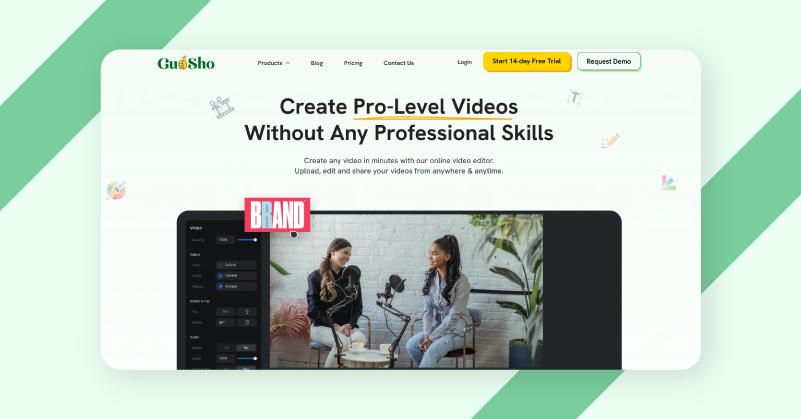
If you’ve been considering video editing platform for brand building and video marketing, and have been using CapCut for video editing, then GUDSHO could be your go-to platform. It combines all of these features into one powerful tool which you can try for in 14 days free trial.
GUDSHO stands out as one of the best CapCut alternatives for content creators because of its ability to help you go live, record, edit, host, embed videos and share to social media, all while seamlessly integrating your social accounts, without the need to switch between tools. Whether you’re editing for social media, repurposing a recorded live webinar or simply creating a brand video, GUDSHO makes it easy. You can edit your videos using intuitive drag-and-drop advanced tools that make the process flawless.
G2: GUDSHO has earned a ⭐⭐⭐⭐.7/5 star rating on G2 reviews.
| Pros | Cons |
| Built-in video editing tool | More advanced features in paid plans |
| Unlimited social media integration | |
| Social media aspect ratio cropping | |
| Extensive video hosting | |
| Timeline video editing | |
| Live webinar streaming | |
| Trim,Split, merge, crop, splice, Zoom in & Zoom out | |
| Personalized video embed player | |
| 50+ Editing Styles for Marketing |
2. Veed
Your Go-To Online CapCut Alternative for Fast AI Video Generation.
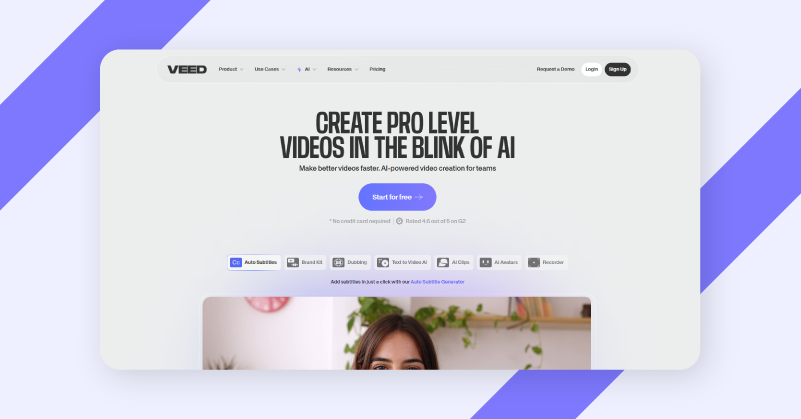
Veed.io is a powerful online video editing tool that’s perfect for both beginners and seasoned creators seeking a free ai video generator. With its intuitive interface, you can easily trim, cut, and edit your videos, adding effects, text,and audio in just a few clicks. Whether you’re creating content for social media or personalized use, Veed.io’s makes editing simple and fast, with no need to install complex software.
The platform also offers a suite of advanced features like auto-subtitles, video resizing and background removal, giving you everything you need to make professional-quality videos. With seamless export options and cloud storage, Veed.io allows for a hassle-free editing experience that fits perfectly into your workflow.
G2: Veed has earned a ⭐ ⭐⭐⭐.6/5 star rating on G2 reviews.
| Pros | Cons |
| Full branding kit (images, video, audio) | Very less features available in free plan |
| Full Stock Audio & Video Library | No video marketing tools available |
| Custom AI Avatars | Only paid plans comes without a watermark |
| Translate to 50+ languages | |
| Auto-resize for social media |
3. Kapwing
A Modern Video Creation Platform for Seamless, Studio-Quality Editing.
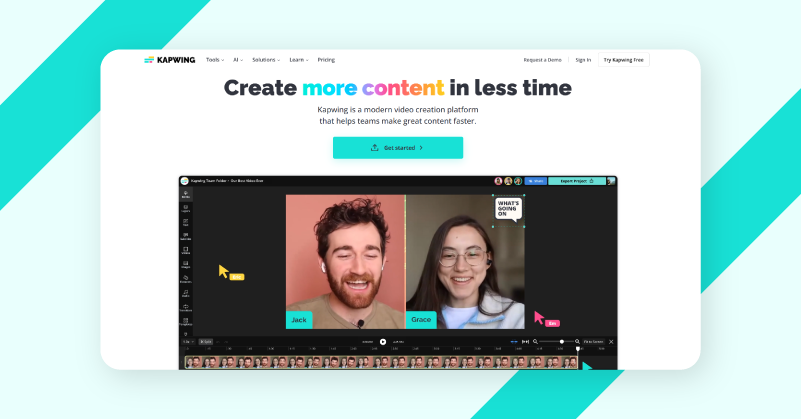
For those seeking the best alternative to CapCut and a fast online video editor that saves you hours with a streamlined editing workflow, Kapwing is the answer. With a complete suite of video editing tools, you can edit, convert and export content with ease even for those with no prior editing experience.
The user-friendly drag-and-drop timeline, combined with a range of AI-powered features, enables effortless editing to turn a single video into a collection of short, social-ready clips for effortessl sharing. Kapwing’s AI editor gives suggestions with automatic B-roll to produce suitable video content that aligns with the needs of any industry like social media managers, media companies and journalists.
G2: Kapwing has earned a ⭐⭐⭐⭐.3/5 star rating on G2 reviews
| Pros | Cons |
| AI-powered Clip Maker to cut lengthy videos | Very less professional editing features available |
| Video Brand Kit and custom fonts | No video marketing tools available |
| Built-in Video Translator for 100+ language | Very less features available in free version |
| Unlimited cloud storage | |
| Text to Speech cloning voices |
4. Clipchamp
A quick and easy online video editor for studio-grade HD video production.
If you are looking for an easy-to-use, desktop-friendly online video editor that eases half of your YouTube editing burden, Clipchamp is your go-to choice. You can edit raw videos, recordings or even audio files using advanced features and export high-quality videos for free. It comes with movie-like video templates and lets you add captions to your videos using an AI caption generator in up to 80 languages at once.
Don’t have audio? No worries. You can generate audio for your videos using AI voiceovers, turning your scripts into pitch-perfect narrations. Create professional videos by adding royalty-free stock assets or turn meeting recordings into vlogs and video presentations without losing quality and impress viewers.
G2: Clipchamp has earned a ⭐⭐⭐⭐.2/5 star rating on G2 reviews
| Pros | Cons |
| AI voice control and caption generator | The software might seem complicated |
| Creative templates for creating Reels, Shorts and TikTok videos for social media | Very less branding tools are available |
| Free, beginner-friendly video editing tools | Not browser-based and requires downloads |
| Watermark-free video exports |
Best CapCut Alternatives for Mobile (Android & iPhone)
| Video Editing Software | Advanced Features | Free Version | Cross-Platform | Water mark-free | User-friendly interface |
| Imovie | ✔ | ✔ | ✖ | ✔ | ✔ |
| Inshot | ✔ | ✔ | ✖ | ✔ | ✔ |
| Kinemaster | ✔ | ✔ | ✖ | ✔ | ✔ |
5. Imovie
The only CapCut Alternative for Effortless, High-Quality Video Editing in Mac & IOS
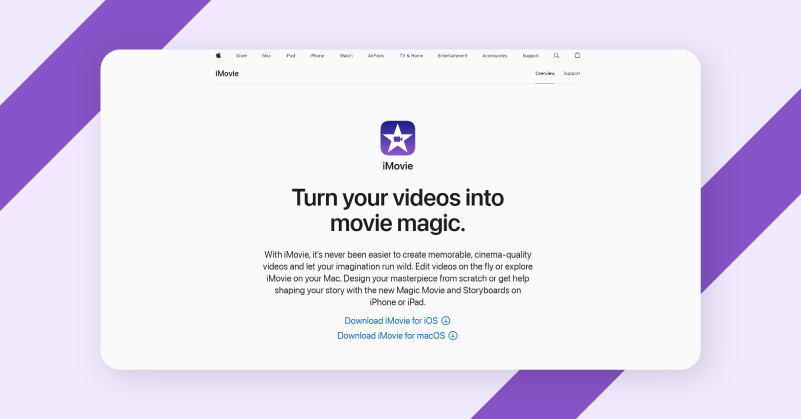
If you’re in search of a CapCut alternative for iPhone or Mac video editing to deliver cinema-quality videos, iMovie can be your ideal choice. Shape your story with detailed editing tools and create videos instantly using storyboards to deliver stunning visual stories.
Easily import and edit video clips, even those captured on your iPhone and create professional-looking scenes by converting your clips into extraordinary videos through simple trimming, splitting and cropping. With minimal learning curve, you can quickly include photos and videos to your raw footage, trim clips with simple drags, add seamless transitions and fade out audio like a pro, all from day one of using the software.
G2: Imovie has earned a ⭐⭐⭐⭐.3/5 star rating on G2 reviews.
| Pros | Cons |
| Premade video templates & storyboards | No AI video editing features available |
| 13+ creative video filters | No video marketing tools available |
| 100+ smart soundtracks on iOS | Only suitable for Mac & ios |
| Background colours, gradients and patterns | |
| Green-screen effect for videos |
6. InShot
A professional video maker designed for an intuitive mobile editing experience!
If you’re comfortable with mobile editing and can work wonders with the right editing software, InShot can be your powerhouse for unlimited creativity. InShot offers impressive effects to enhance your videos with just a click or swipe, ranging from 3D editing tricks to outstanding transition effects.
Get access to a music library, exclusive effects, AI Cut, AI Speech and timeline editing tools to remove unwanted sections. Add timeline tracking to give your videos and photos a more studio-like appearance. Enhance your projects with stickers, text, slow motion and AI effects to create a cinematic, movie-like look from start to finish.
G2: InShot has earned a ⭐⭐⭐⭐.7/5 star rating on G2 reviews.
| Pros | Cons |
| Exclusive transition effects for quick editing | Not suitable for professional editing |
| Mobile-friendly video editing | The Mobile UI might be complex for beginners |
| Attractive stickers & text for social media content | The music library might not be suitable for all projects |
| Visual AI effects for studio-like transitions |
7. KineMaster
Best mobile-friendly video editor to create mind-blowing social content in minutes!
If you want to share hot-selling videos on social media the moment you shoot them on your mobile, KineMaster could be the one for you. With hundreds of video templates, you can create professional videos in minutes. KineMaster also offers vast cloud storage, so you don’t have to worry about running out of space. With tons of features and a full-screen video timeline, it feels like you’re editing with a professional, experienced video editor that requires hardly any technical skills.
The platform also offers AI style filters, color filters and incredible assets, allowing you to create social media-ready content in minutes. This ad- and watermark-free video editor can transform clips, recordings and raw footage into stunning narrations right from your mobile with just a few clicks.
G2: KineMaster has earned a ⭐⭐⭐⭐.3/5 star rating on G2 reviews.
| Pros | Cons |
| Ads & watermark-free video editing | Not suitable for desktop or Mac editing |
| Unlimited premium assets for pre-defined editing | Limited transition effects available |
| Vast cloud storage space | Only one pricing plan is available |
| Full-screen timeline editing |
Best CapCut Alternatives for PC (Windows & Mac)
| Video Editing Software | Advanced Features | Free Version | Cross-Platform | Water mark-free | User-friendly interface |
| Davinci Resolve 2.0 | ✔ | ✔ | ✖ | ✔ | ✔ |
| Movavi | ✔ | ✔ | ✖ | ✔ | ✔ |
| Filmora | ✔ | ✖ | ✖ | ✔ | ✔ |
8. Davinci Resolve 20
The Free CapCut Alternative for Professional Editing & AI Video Production!
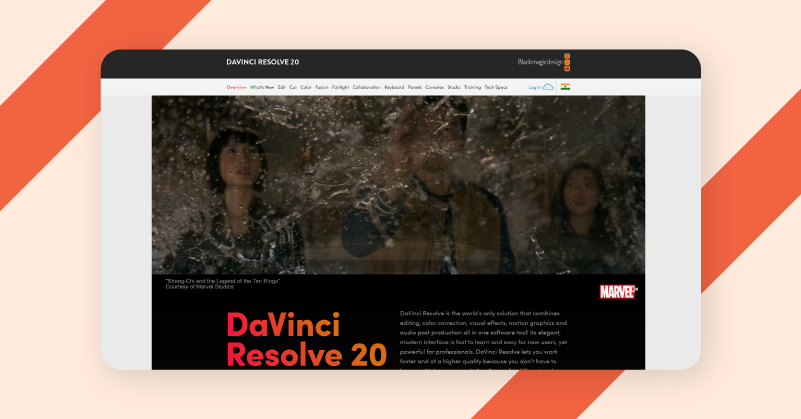
DaVinci Resolve can be one of the most suitable video editing apps for editors, especially if you’re looking for a CapCut alternative for PC and other devices. It combines video editing, color correction, visual effects, motion graphics and audio post-production in a modern interface delivering high-quality video production, without actually taking away much of your time.
It eliminates the need to learn multiple apps or switch between software for different tasks, allowing you to quickly build a video story, move shots and take advantage of advanced AI video and audio features. You can also easily drag and drop clips directly into the video timeline, and with the overlay feature you can perform advanced editing to create professional videos in minutes.
G2: Davinci has earned a ⭐⭐⭐.5/5 star rating on G2 reviews.
| Pros | Cons |
| 30 +different video transitions effects | The software looks complex to use |
| Mark Clips for in and out timeline editing | No video marketing tools available |
| Shareable Cloud Folders | Not browser based and requires downloads |
| URL Presentations Sharing for collaboration | |
| Speed changes, or speed ramps for playback control |
9. Movavi
One Stop Capcut Alternative to Create Awesome Videos Easily!
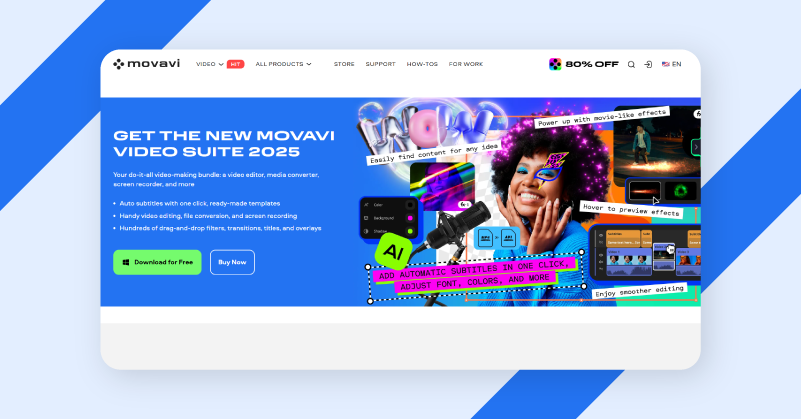
Are you currently focusing on boosting your business with videos and relying on CapCut? Here’s what you need to know, there are some good alternatives to CapCut that can save you hours with a clear design, powerful AI and handy presets with no video editing tips required.
Whether you’re creating a short promo reel or a big project presentation, you can make compelling videos with the most advanced editing features from Movai. This downloadable software lets you easily edit, from simple cuts and crops to adjusting colors, changing speeds, and applying hundreds of drag-and-drop filters, transitions, titles and overlays it’s got you covered for a professional video editing.
G2: Movavi has earned a ⭐⭐⭐⭐.7/5 star rating on G2 reviews.
| Pros | Cons |
| Noise and silence removal | Very less AI video editing features available |
| One click-automated subtitles | No video marketing tools available |
| Movie-like video effects | Very less features available in free download |
| Timeine video editing | |
| AI motion tracking |
10. Filmora
The Free CapCut Alternative Software that Makes Video Editing Simple.
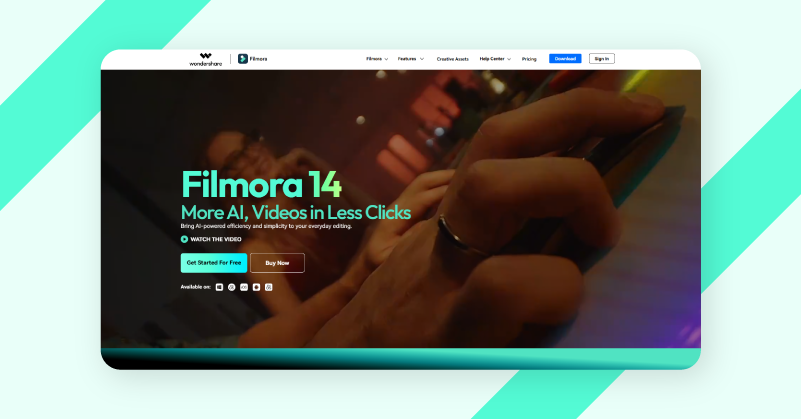
If you’re searching for an easy-to-use video editing software, that comes as a perfect Capcut alternative for android, desktop and PC to do professional video editing, then Filmora could be the perfect fit.
Whether you’re working on videos for social media, branding or marketing vidoes, Filmora’s intuitive interface and AI powered tools combined with traditional editing tools allow you to get ready with mindblowing vidoes in minutes. With Filmora, you can effortlessly import and edit clips, trim, split, and crop footage with ease, and enhance your content using its wide range of filters, transitions, and effects. Even if you’re new to video editing, Filmora’s minimal learning curve ensures you can jump straight to produce polished, cinematic videos on the go.
G2: Filmora has earned a ⭐⭐⭐⭐. 3/5 star rating on G2 reviews.
| Pros | Cons |
| Upto 10 GB cloud storage | Not browser based, downloadable software |
| Multiple Format video exports | No video marketing tools available |
| 100+ Advanced Video Editing Features | The platform looks complex |
| AI Video Enhancer | |
| 2.3M+ Filmora Creative Assets |
Conclusion
With so many video editing software options ruling the market, those that fulfill the role of CapCut while offering more advanced features can be incredibly helpful.
The 7 CapCut alternatives (India,UK,US, Canada, France, Brazil) listed here can serve as stepping stones toward bigger goals and improved editing efficiency. Try each platform with a free trial to find the one that best aligns with your needs. We wish you all the best!
1) Is there any editor better than CapCut?
Yes, there are various tools like Canva, Adobe Premiere Pro, GUDSHO and InShot that offer similar and even better features than CapCut, depending on your needs. The best editing tool for you depends on your editing style and platform preference, so choose accordingly.
2) Is CapCut or InShot better?
CapCut offers more advanced video effects and AI tools compared to InShot, which have simple editing tools perfect for quick social media edits. In that case, you can also consider GUDSHO which is ideal for professional social media editing with advanced effects and ease of use.
3) Is CapCut getting banned?
As of now, CapCut is banned only in India. However such bans on video editing apps like CapCut can keep changing based on the platform’s privacy policies and legal decisions.
4) Name some best CapCut alternatives in India ?
Some of the top CapCut alternatives in India include GUDSHO, Filmora, VEED, InShot, Clipchamp and iMovie. These video editing tools offer more compatible features, faster editing, localization and a beginner-friendly interface.
5) What are the best CapCut alternatives that are free?
The best CapCut alternatives that are available for free include iMovie, GUDSHO, Canva, Clipchamp, DaVinci Resolve and others. These tools offer both free and paid versions, allowing you to explore more advanced features without watermark while supporting beginner to intermediate level video editing.
6) Name some best CapCut alternatives for PC ?
If you’re looking for editing tools for PC or desktop, we would recommend you to try DaVinci Resolve, GUDSHO, iMovie, Canva, InVideo, Movavi and Filmora. These CapCut alternatives are great choices for those who seek free, freemium or paid video editors suitable for professional and creator-level editing.
 Haripriya is a Digital Marketer skilled in video editing tools and social media strategy, focused on boosting social media engagement and driving meaningful brand interactions online.