
I have been managing social media for brands across industries for more than a decade now. The chaotic planning, random posting, jumping between multiple tabs and analytics headache got me looking for social media management tools. In a recent study, it says that using a social media management tool to automate your activities is sure to reach 10x more audience and save hours of manual work. That’s when I stumbled upon Hootsuite and started using it for a while.
Just like so many social media managers before me, I thought the constant platform disconnections were okay, the confusing interface was part of the learning curve and the costs were industry standard. This became a wake-up call for me and I started to search for other Hootsuite alternatives.
What started out as casual research turned into a deep analysis to find the best social media management tools in the market. To build this list of the best tools, I tested out every platform individually. In this guide, I’ll address problems Hootsuite didn’t solve, like content collaboration workflows, unified social inboxes, evergreen content recycling and more.
Top 10 Hootsuite Alternatives at a Glance:
| Platform | Best For | Pricing Starts At | G2 Review |
| GudSho Social | Marketing-focused social media management platform | Free Trial Custom Plan | 4.7/5 |
| Planable | Team collaboration, scheduling and post organizing | Free Plan Basic Plan $33/month | 4.6/5 |
| Buffer | Levelling up your social strategy with AI assistance | Free Plan Essential Plan $6/month | 4.3/5 |
| Agorapulse | Social listening & in-depth analytics | Free Plan Standard Plan $79/month | 4.5/5 |
| Sendible | Agencies to manage multiple brands at once | Free Trial Creator Plan $29/month | 4.5/5 |
| Statusbrew | Content planning, scheduling and team collaboration | Free Trial Lite Plan $69/month | 4.8/5 |
| Sprout Social | Managing enterprise-level social media channels | Free Trial Standard Plan $199/month | 4.4/5 |
| SocialChamp | Managing social media using AI | Free Plan Standard Plan $19/month | 4.5/5 |
| Zoho Social | Turning social followers into customers | Free Trial Standard Plan $7/month | 4.6/5 |
| SocialBee | Automatically recycling evergreen content | Free Trial Starter Plan $24/month | 4.7/5 |
Why switch from Hootsuite?
When Hootsuite disconnected my Instagram account mid-schedule for a product launch campaign, I only found out about it when posts failed to publish. This so-called “reconnect loop” happened three times in two months and it made me question the platform at critical moments.
Beyond technical reliability issues, the interface just feels old-fashioned. It took days for me to learn the layout and understand the basic features. When your time is spent learning the tool instead of actually using it. Even the pricing was high compared to other Hootsuite alternatives, as they give you those same capabilities for a fraction of the price. When a social media tool causes more problems than it solves, it’s better to move on.
10 Best Hootsuite Alternatives: Which Social Media Management Tool Wins in 2026?
According to me, the best Hootsuite alternatives should go beyond just scheduling posts and have complete control over my social media profiles. The list I curated focuses on reliability, team collaboration, unified inbox, approval workflows and reporting in an easy to use dashboard. Here’s my list of the top competitors and alternatives that I’d recommend in 2026:
1. GudSho Social
An All-in-One Social Media Management Tool Purely Focused on Creating Impactful Social Presence
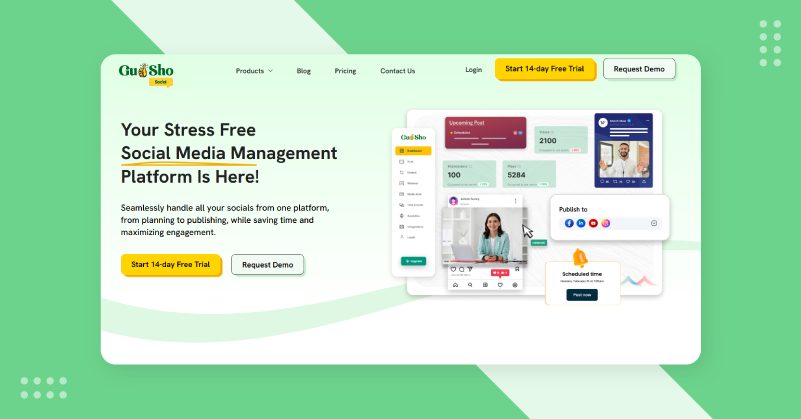
GudSho Social is an innovative social media management tool for agencies, brands, and businesses to publish posts seamlessly across platforms. It was the first social media management tool I tested that let me plan, schedule, edit, manage and analyse without jumping between applications. The platform supports Facebook, Instagram, LinkedIn and YouTube for brands with a multi-channel content strategy.
What I liked most was how GudSho Social handles the content lifecycle. And so, I could upload raw videos, make quick edits, schedule across platforms with specific network caps and track performance from one dashboard. A single social inbox meant I never missed comments and mentions from any connected accounts and the analytics turned data from every platform into actionable insights that I did not need a data science degree to interpret.
GudSho Social’s Stand Out Features
Visual Content Calendar: From the calendar interface you can see what’s happening on every connected account and upload a month’s worth of content in one go. You can reschedule and find gaps while scheduling.
Multi-Platform Scheduling: Easily schedule across multiple channels and publish at the best time to post on Instagram, Facebook, YouTube, LinkedIn etc, sharing engaging Reels, Shorts, posts or videos tailored to each platform’s format and requirements.
Unified Social Inbox: To manage comments and mentions across multiple social accounts, you had to keep hopping from platform to platform. A single social inbox feed with intelligent filtering lets me star important messages and respond without leaving the dashboard.
Automated Publishing: The automatic social media publishing ensured my posts are published at the right time and helped me keep a consistent presence with minimal effort.
Media Library: The cloud-based storage lets me securely store pdf’s, images, videos and evergreen content and access them anytime I want.
Team Collaboration: I could assign the entire work process to my teams and get approval instantly from the platform. This eliminates the email chains that slowed our publishing and approval workflow.
Real-Time Performance Analytics: The social media analytics tool tracks impressions, reach, clicks, likes, comments and shares across all connected platforms. I could see which content types worked best and make better guesses about social media marketing strategy.
| Pros | Cons |
Plan, edit, schedule and publish from one clean workspace | Advanced features are limited on free trial |
| Schedule a month’s worth of posts in minutes | Continuously evolving features |
| Secure and mobile-ready platform |
Why I Chose GudSho Social?
I chose GudSho Social because my content strategy was leaning more towards video and having to manage separate tools for video production, hosting and social distribution was a bottleneck. Other social media management solutions treat video as another file to upload. While, every interaction was handled quickly and efficiently through a centralized engagement hub. On the whole, the entire social media process was rolled into one workflow on GudSho Social and it cut my production time by 60% and the output quality by 10%.
GudSho Social vs Hootsuite
While Hootsuite tries to be everything to everyone, GudSho Social is all about what modern social media managers need and does it really well. Hootsuite treats video like any other post type and provides no special tools for video support. GudSho Social knows that video is the future of social media and builds the platform around that reality.
Interface comparison is brutal. Hootsuite’s stream-based dashboard can be overwhelming for new users. For GudSho Social, there is no more hunting for features in nested menus. A visual calendar makes scheduling seem less like filling in database fields. But the biggest differentiator was reliability and that was solved once I started using the best Hootsuite alternative.
2. Planable
A Collaboration-First Hootsuite Alternative That Makes Content Approval Smooth and Efficient

My team now creates, reviews and approves social content with Planable. Like other social media schedulers that don’t prioritize collaboration, Planable is built around team workflows. It shows posts exactly as they’ll appear on each platform with no more guesswork that leads to so many “that’s not what I expected” moments with Hootsuite.
How collaboration happens in Planable is what makes it special. Teams can comment directly on posts & edit content without email threads or separate project management tools. The platform supports all major social channels such as TikTok, Instagram, Threads, LinkedIn, Facebook, X, Pinterest, YouTube and Google Business Profile. Also, I can plan other content formats as well, like blogs and newsletters.
Planable’s Stand Out Features
Visual Content Calendar: What posts look like before they are published on each platform can be seen on Planable’s calendar. I could easily reschedule content with a drag & drop interface.
Real-Time Collaboration and Approval: Multiple teams can work on content simultaneously without overwriting each other’s changes. The commenting system allows feedback for a flexible approval workflow without having to sign up or learn a new platform.
AI-Powered Content Creation: I use this to create content with the same brand voice and style whenever I have creative blocks or when I need to maintain a consistent posting schedule during busy periods.
Canva Integration: The direct Canva integration meant I could make graphics in Canva and then export to Planable without having to download, save and upload files again.
Unified Engagement Inbox: Thanks to the inbox with smart filtering, I could focus on comments that need immediate attention instead of going through every notification manually.
| Pros | Cons |
| Excellent for hassle-free content approvals | No in-depth analytics available in base plans |
| Clean and easy-to-use interface, even beginners can use | Cost may be high even for larger teams |
| Ideal for agencies/big marketing teams’ collaboration | Lacks advanced automation tools |
Why I Chose Planable?
The collaboration on Hootsuite was killing productivity. Almost every piece of content requires multiple email threads, screenshot markups and version control nightmares. But Planable’s collaboration features felt like they were built for modern content teams. The major visual difference is how Planable lets me preview content before it goes live to ensure error-free posts. I could also send a link to clients for frictionless review and approval, taking days off of our publishing time.
Planable vs Hootsuite
The fundamental difference between them is that Hootsuite is a monitoring tool trying collaboration, while Planable is specifically built for teams to collaborate. For daily workflows that involve creating, editing and approving content with multiple stakeholders, Hootsuite’s rigid structure becomes an issue. With Planable, you remove that friction completely.
What Hootsuite does well is deep social listening and large-scale brand monitoring. But if your primary goal is tracking brand mentions, competitor activity and larger social conversations, then this Hootsuite alternative is more engagement-focused.
3. Buffer
Budget-friendly Hootsuite Alternative for Individuals and Small Businesses to Simplify Posts and Amplify Your Impact

Buffer is a simple social media management tool compared to Hootsuite’s complexity. Fifteen seconds after signing up, I had connected accounts and scheduled a week of posts with no tutorials needed and no buried settings to configure. What most creators and small teams need is Buffer’s minimalist design philosophy, which offers exactly what we need. Reliable scheduling, simple analytics and an interface that does not require documentation to learn.
The standout part about this is that it supports newer channels like Bluesky, which many competitors still do not support. Buffer supports queue-based scheduling, so I can upload my content and post at optimized times without micromanaging every post slot. And for solo creators or small teams that don’t need enterprise workflows, Buffer is an excellent alternative to Hootsuite that values simplicity, though teams needing more social media automation may explore Buffer alternatives with advanced capabilities.
Buffer’s Stand Out Features
Smart Queue System: Its signature feature is its queue, I can upload posts at pre-configured optimal times to publish automatically.
Link-in-Bio: Buffer gives a free bio landing page, where I can showcase all my services and products on a microsite making it a storefront for my business.
Space for Content Ideas: With the Ideas feature, I can generate content concepts and ideas to get inspiration and create content that captures attention.
Lightweight Social Media Analytics: The dashboard shows what content performed best and what are the optimal posting times based on social media engagement and trends for improving content strategy.
Multi-Platform Publishing: Write a long LinkedIn post or short Twitter version and include relevant Instagram-specific hashtags in one compose window without tracking each network’s requirements manually.
| Pros | Cons |
| Beginner-friendly & intuitive dashboard for easy navigation | Lacks strong analytics & automation tools |
| Affordable pricing tiers for both small and large businesses | Not the best choice for large teams or agencies |
| On-the-go accessibility via its mobile app | Limited collaboration features compared to others |
Why I Chose Buffer?
Buffer is a tool where simplicity beats sophistication. For those who spent months in heavy enterprise platforms, Buffer was liberating. The tool does not try to solve every possible social media use case, it just schedules things and does it well. Buffer became my go-to platform for its zero onboarding friction and ease of use while other platforms had more features that I did not use.
Buffer vs Hootsuite
Hootsuite is more like an entire command center for social media, but Buffer focuses on one thing, making it a great scheduler. With all the features, menus and streams, Hootsuite is overwhelming. The path from idea to published post is short because of buffers.
For solo creators and small teams who value consistent posting over complicated workflows, Buffer is simple. Buffer is a reliable alternative to Hootsuite that eliminates expensive paywalls and interface complexity.
4. Agorapulse
A social listening alternative to Hootsuite for impactful social engagement
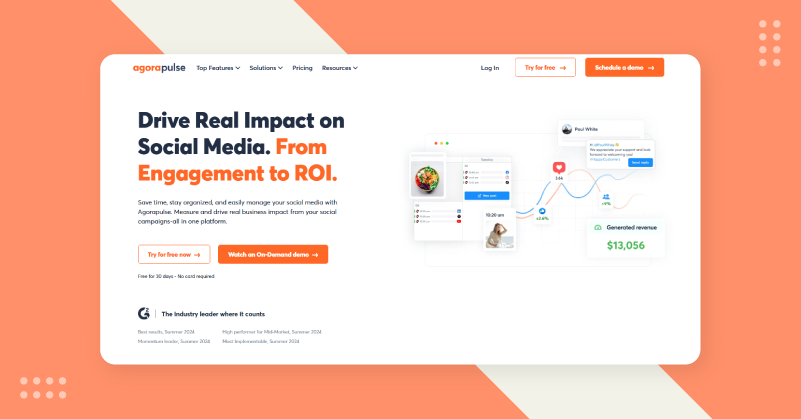
Agorapulse fixed my biggest pain point, which is community management, as it’s like whacking a mole. Whereas Hootsuite dispersed engagement across multiple streams and tabs, Agorapulse brings it all together in one place. The platform focuses on social inbox management with ROI delivered through strong reporting for teams where engagement matters just as much as publishing.
It hit me immediately on how functional Agorapulse is. This isn’t a fancy interface, it just wants you to get your inbox to zero, respond quickly and see what drives results. Having spent the previous six years hopping between social networks, this shift to practical workflow efficiency felt like finally finding a tool that understood my pain of interacting with the audience.
Agorapulse’s Stand Out Features
Unified Inbox: The social inbox pulls comments, messages and mentions from every connected platform into one prioritized feed for me to respond, archive, assign and flag for follow-up without leaving the conversation.
Intuitive Scheduling Calendar: The scheduling interface was both powerful and simple. It highlighted posting gaps so I could keep it consistent without overthinking the scheduling logistics.
Bulk Upload Planning: Bulk upload was handy when planning monthly campaigns as it could upload everything at once and schedule it across platforms efficiently.
Reporting and Analytics: The custom reports let me see what clients care about like engagement rates, response times and content performance by type.
Team Collaboration: I liked being able to assign conversations or posts to team members. This prevents dropped conversations and improves response quality.
| Pros | Cons |
| Excellent for managing social engagement | Pricing can be higher for smaller teams |
| Strong social listening capabilities across various social channels | New users require a slight learning to navigate the platform |
| Detailed and custom analytics & reports in a click | Very few creative & design tools |
Why I Chose Agorapulse?
I switched to Agorapulse when engagement volume became too much for me to handle via manual platform-hopping. This was not a convenient inbox but an operational inbox. Because Hootsuite uses stream-based monitoring, some messages got missed. With Agorapulse’s inbox-first approach, every interaction was seen and responded to. This boosted team productivity and reduced burnout.
Agorapulse vs Hootsuite
While Hootsuite puts you in monitoring mode across multiple streams, Agorapulse is all about inbox control and actionable reporting. You can feel like you are watching security camera feeds on Hootsuite with lots of information and unclear prioritization. But Agorapulse presents manageable tasks, responds to the audience, schedules posts and reviews these results.
If you work on teams where community management drives social strategy and proving value drives budget discussions, then Agorapulse fits better than Hootsuite does with its deeper feature set. Interface clarity alone makes Agorapulse a better Hootsuite alternative for training new team members much faster.
5. Sendible
A social media management tool specific for agencies and marketers managing multiple clients.
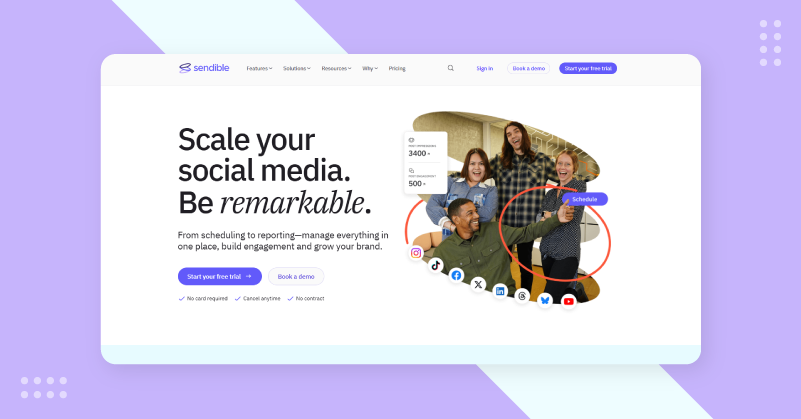
Sendible was built for agencies and marketers with multiple client accounts that require their own branding, approvals and reporting. When I tested it with five client accounts running simultaneously, I understood why agencies recommend it. With white-label streaming service capabilities and client collaboration features, you turn shaky multi-account management into clean, professional workflows.
All major social networks are supported like Facebook, Instagram, Twitter, LinkedIn, TikTok, YouTube and Google Business Profile. Unlike other social media management tools, Sendible handles the operational complexity of agency work with separate calendars for each client, custom approval workflows and branded reports for your agency.
Sendible’s Stand Out Features
Unified Priority Inbox: A unified social inbox filters messages and comments across all client accounts. I could filter by client, platform and urgency so high-priority interactions were never buried in the feed.
Advanced Bulk Scheduling: It was necessary to schedule dozens of posts per week across several clients. All I needed to do was to upload my entire content via CSV, add scheduling templates and push posts across accounts in minutes.
White-Label Reporting: I can create branded PDF reports with my logo, colors and messaging to make it more personalised. The reports covered engagement metrics, growth tracking and content performance were helpful.
Approval Workflows: The flexible approval workflow suited different client preferences with a version history and allows clients to suggest edits directly in the platform.
RSS-to-Social Automation: New blog posts were converted to social content for clients with active blogs via RSS integration and the feeds remain active for weeks without the need for custom content creation.
| Pros | Cons |
| Perfect for multi-brand management | UI feels outdated or old compared to others |
| Supports a wide range of integrations with CRMs and social platforms | The higher the features you want, the higher you pay |
| Strong automation & custom reporting features | No free plan |
Why I Chose Sendible?
Managing several client accounts with separate tools or generic schedulers created workflow friction. Changing the context between client calendars, remembering different brand voices and producing individual reports took hours each week. Sendible took away this fragmentation by integrating agency workflows into the platform foundation. This cut approval time from days to hours while still giving clients the oversight they wanted.
Sendible vs Hootsuite
Managing multiple accounts with Hootsuite is like scaling a single-user experience. For agency the use case is different, so Sendible builds for separation, customization and professional reporting for each client. It’s this architectural difference that makes Sendible much more usable Hootsuite alternative for agency operations.
The one thing Hootsuite does better than Sendible is social listening and real-time monitoring at the enterprise level. But for agencies whose client deliverables are all about conversation tracking and competitive intelligence, Hootsuite adds monitoring depth that Sendible doesn’t emphasize.
6. Statusbrew
A Suitable Workflow-Focused Alternative for Hootsuite with Enterprise-Level Operations
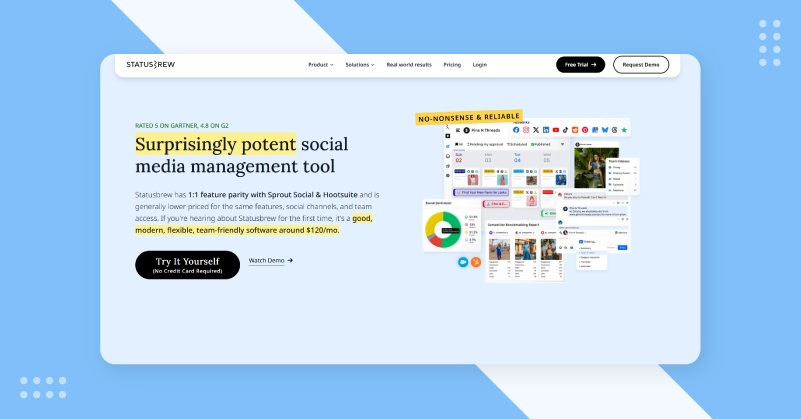
Once it became too much to manage social presence in multiple languages and markets, Statusbrew was the answer. The platform is good at unified inbox management but also handles engagement across languages, time zones and cultural contexts. Many tools make international social media management an afterthought, whereas Statusbrew makes it a core feature.
Teams can communicate easily in the Engage Inbox with assignable, tagged conversations and workflow features. Having managed distributed teams across 3 continents, I found Statusbrew worked well for complex operational requirements without the custom development or workarounds of other platforms.
Statusbrew’s Stand Out Features
Multi-lingual Unified Inbox: I can assign conversations to teams, make internal notes invisible to customers, track status from first contact and manage messages from multiple languages.
Cross-Platform Publishing: I could batch content, duplicate successful posts to other locales and keep posting consistently without constant manual intervention and save hours.
Shareable Report Links: Instead of exporting PDFs or setting up meetings to review analytics, I can generate shareable report links to see live performance data without platform access.
Basic Monitoring: The lighter analytics provide handy tracking of brand mentions, hashtags and competitor activity for teams that just need basic awareness without the need for enterprise listening tools.
Team Collaboration: I could give publishing rights to content creators, engagement access to community managers and approved workflows enabled multi-stage review.
| Pros | Cons |
| Built for large teams and enterprises | Can be expensive for small businesses and individuals |
| Strong collaboration & deep automation tools than competitors | Beginners require a learning curve to use |
| Responsive customer support | Limited creative & editing tools |
Why I Chose Statusbrew?
I used it when coordination complexity threatened to kill our social strategy in global teams. Those assignment workflows turned chaotic collaboration into neat systems where nothing fell through the cracks. Hootsuite made collaboration feel like an add-on feature, but team workflows were built into Statusbrew. The shareable reports made administrative work much easier. I set up report templates once and shared links with stakeholders instead of monthly data compilation sessions.
Statusbrew vs Hootsuite
StatusBrew feels built for operational teams doing real workflows, whereas Hootsuite is for monitoring and observation. When it comes to team coordination, assignment management and engagement on social media, you want Statusbrew’s workflow-first design over Hootsuite’s stream-based foundation.
This Hootsuite alternative for social media lets you work focused with inbox, content scheduling and report review to reduce cognitive load and increase efficiency. But if your infrastructure is already based on Hootsuite or you need its specific integrations, migration friction might outweigh Statusbrew’s workflow benefits.
7. Sprout Social
A Social Media Tool with Social Listening and Sentiment Analysis for Enterprises
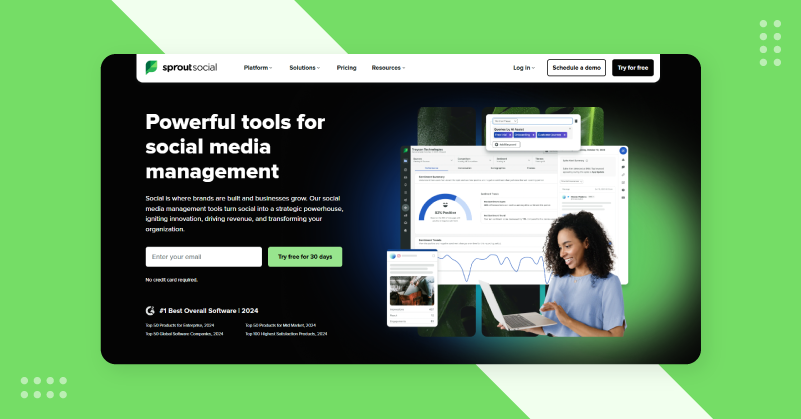
When social media becomes a strategic business function, you pick Sprout social media. That makes the platform great for enterprise analytics, social listening and presenting social data in C-suite formats. When I started using Sprout Social’s reporting capabilities, it felt like speaking the same language as leadership and turning social metrics into business metrics my expert marketers could understand.
So the Smart Inbox, with its full reporting and competitive intelligence features, works perfectly without the scuffs that plague so many platforms. For this enterprise-grade experience, you pay premium pricing, but Sprout makes sense for organizations with a significant budget and strategic stake in social media. What sets Sprout Social apart from other alternatives to Hootsuite is its polished interface.
Sprout Social’s Stand Out Features
Smart Social Inbox: Messages come with context, priority indicators and suggested actions. The Filtering allowed me to segment by platform, message type, or urgency so I could hit inbox zero during high-volume periods.
Reporting and Analytics: I could produce reports that presented social data as business intelligence and not just vanity metrics. These reports actually got executives interested because they tied social activity to business outcomes.
Social Listening Tool: Social listening gave market intelligence beyond hashtag tracking such as industry conversations, emerging trends and competitor positioning to improve strategies.
Content Planning with Collaboration: The content calendar enables team collaboration on commenting, approval workflows and scheduling across all major platforms.
Advanced Tagging for Cross-Team: I created tags for product categories, campaign themes, regional initiatives and produced reports for each combination to optimize budget allocation and deliver results.
| Pros | Cons |
| Enterprise-level reporting & insights of social media profiles | Can be expensive for small teams |
| Smart automation tools for maximizing reach | Add-ons increase the price more |
| Strong AI-powered social listening tools | Experience is required, so it can be difficult for new users |
Why I Chose Sprout Social?
When client reporting was more important than execution, I picked Sprout Social. We needed to understand social media’s business impact and engagement metrics were not cutting it. Thanks to Sprout Social’s reporting, quarterly reviews became strategic planning sessions instead of defensive justifications. At this price point reliability was important. In Sprout, content was published as scheduled, platform connections remained stable and high usage volumes were not affected by performance degradation.
Sprout Social vs Hootsuite
Sprout Social is a modern take on Hootsuite. But both are meant for enterprise audiences and Sprout executes much better with a cleaner interface, workflows and reporting that actually help decision-making easy. It often felt like paying a premium for outdated experiences with Hootsuite. Sprout is built for modern enterprise needs.
There is no comparative reporting. It sort of feels like Hootsuite is exporting data for analysis elsewhere. Sprout Social’s reports are ready for presentation without additional compilation. This saves time and puts social media in a more professional light within organizations.
8. SocialPilot
A Social Media Management Platform Built for Growing Agencies to Manage Multiple Clients

SocialPilot proves that basic social media management does not have to be stripped down. For those who have tested premium platforms with ridiculous price tags, SocialPilot offers quality at real prices. The platform offers bulk scheduling, team collaboration and multi-account management at low cost to small businesses and growing agencies.
What impressed me was feature completeness without premium pricing. Many budget tools hide key features behind upgrade tiers, but SocialPilot includes client management, white-label reports and social inbox functionality even at entry levels. So this is an attractive Hootsuite alternative with value proposition for agencies and consultants building client rosters.
SocialPilot’s Stand Out Features
Advanced Bulk Scheduling: Its bulk upload feature makes planning large batches of content quick and easy. I could create monthly content calendars in spreadsheets and upload them as CSV files.
Multi-Account Management: The architecture of the platform is designed to handle many client accounts simultaneously. I could go from client workspaces to client content libraries and save templates for brand consistency.
Social Inbox Management: It consolidates comments, messages and mentions across managed accounts in one unified inbox. Also, it was easy for me to respond, assign conversations and track response times instantly.
Analytics and Reporting: Analytics dashboard with customizable date ranges helps me track key metrics across all major platforms. While the white-label PDF reports make my deliverables look polished.
RSS Integration: RSS automation turns my blog posts into scheduled social content, so accounts remain active for weeks without manual publishing.
| Pros | Cons |
| Unlimited posting and scheduling | Lacks a full Social Listening Tool |
| Agency-focused with approvals and white-label reports | Mobile app lags when doing complex tasks |
| AI tools save hours on content creation | Requires a learning curve for bulk features |
Why I Chose SocialPilot?
For small business clients with budget constraints, premium platforms were unpractical but professional results were important, so I went with SocialPilot. It was a value proposition that delivered key agency features without stretching my budget. I could consistently publish on a dozen accounts without spending hours a day on manual scheduling. While the white-label reporting made sense, as clients got clean, personalized insight they wanted without my agency having to pay for a fancy platform.
SocialPilot vs Hootsuite
Hootsuite attempts to provide enterprise-level functionality at a similar price and complexity. And for small agencies and businesses that need reliable scheduling, basic analytics and professional reporting, SocialPilot is a better deal than Hootsuite’s entry-level tiers.
That learning curve varies dramatically. With SocialPilot, new users get started quickly because the interface is simple. Hootsuite’s feature density and dated interface mean some onboarding is required. So, organizations should choose platforms meant for enterprise scale instead of value-driven alternatives
9. Zoho Social
A Social Media Calendar with CRM Integration That Turns Your Followers into Customers
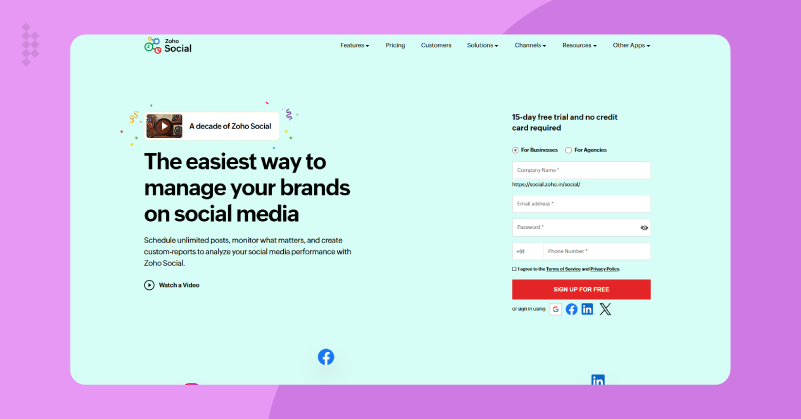
The core of Zoho Social is its deep integration with Zoho CRM and other Zoho applications. When I tried it out with clients running their operations on Zoho products, the data flow between social media activity and customer relationship management completely changed how I saw social engagement. The platform supports all major social networks including Facebook, Instagram, Twitter, LinkedIn, YouTube, Pinterest, Google Business Profile and TikTok from a familiar Zoho interface.
What I loved was how Zoho Social handles everything from content planning to engagement monitoring to detailed analytics, all connected to broader business data. Based on past engagement patterns, SmartQ scheduling suggests the best time to post on social media based on audience engagement. So if you want your social media management software to support your business operations rather than just marketing activity, Zoho Social is the perfect Hootsuite alternative that can match.
Zoho Social’s Stand Out Features
SmartQ Intelligent Scheduling: I can see when my audience is most active and engaged based on past posting performance across all platforms. Also, this helped me gain much more reach and engagement.
Unified Social Inbox: A simple dashboard with all my social interactions like comments, mentions, direct messages and brand references into one feed that can be filtered easily.
Collaborative Publishing: I can set up multi-stage review requirements where content creators write posts, team leads edit and approve final drafts before publishing.
Social Listening and Brand Monitoring: I can create custom monitoring columns that can be created for specific keywords, hashtags, brand mentions, competitor activity or industry conversations.
Multi-Platform Content Management: It was easy to upload a whole month of content in a CSV file to schedule posts and make format changes for each platform. So feed activity remained consistent even at busy times.
| Pros | Cons |
| Deep Zoho ecosystem integration for seamless workflows | For all features you need to pay for Zoho ecosystem |
| SmartQ uses audience data to recommend optimal timing | UI is less modern compared to others |
| Complete brand monitoring for competitive advantages | Lacks enterprise level reporting |
Why I Chose Zoho Social
I chose Zoho Social for its CRM integration as it has full customer context when responding to social media inquiries, improved response quality and conversion rates. Previously isolated social interactions were linked to sales pipelines, support history and customer lifecycle phases. Also, its intelligent automation has boosted engagements by 5x, showing that data-driven timing decisions beat experienced intuition. The reliability is what makes this the best Hootsuite alternative for social media.
Zoho Social vs Hootsuite
Social media management solutions from Zoho and Hootsuite have very different philosophies. Hootsuite aims to be a stand-alone command center for social media operations with broad platform coverage. On the other hand, Zoho Social connects to a deeper ecosystem that Hootsuite can’t match.
Zoho Social provides native integration benefits that Hootsuite would require expensive custom development. So, customer data flows through CRM, support systems and social media. But, Hootsuite treats social media as a silo and has manual processes for connecting social activity to business context.
10. SocialBee
A Social Media Management Solution That Focuses on Evergreen Content Without Manual Creation
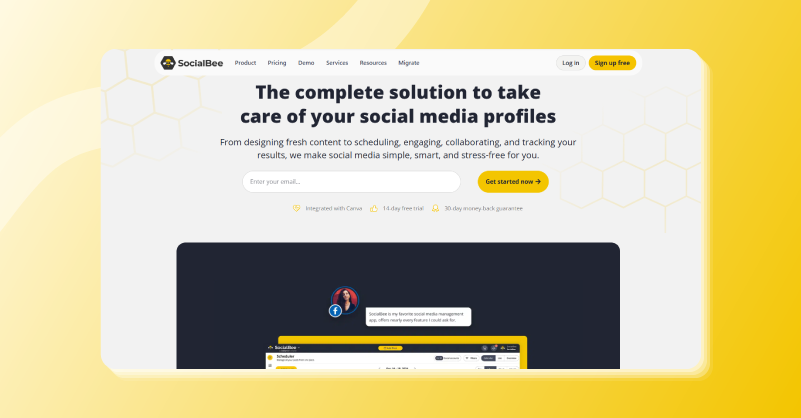
SocialBee offers intelligent evergreen content recycling that ends the exhausting treadmill of constant content creation. It makes it easy to organize content in buckets such as promotional, educational, entertaining and curated. So my posts are rotated automatically to keep things consistent without having to schedule each post individually. But tired of the same old daily posts, SocialBee’s recycling approach felt like sustainable Hootsuite alternative for small businesses.
For someone like me who needs a consistent social presence but lack in-house content teams then this is perfect. With SocialBee’s content categories and recurring posts, you can build an evergreen content library once and have it auto-post your content whenever you want. This type of approach turns your social media into an organized system instead of a daily scramble.
SocialBee’s Stand Out Features
Category-Based Content Organization: I had different post types like tips, promotions, testimonials and behind the scenes with posting frequencies assigned to them and SocialBee pulled content from the right categories every time.
Evergreen Content Recycling System: The recurring post function automatically republishes successful evergreen content on defined schedules to keep you feeds active.
Bulk Scheduling with Platform Customization: The bulk upload system made me write longer LinkedIn versions, shorter Twitter posts and hashtag-heavy Instagram captions all from one entry screen.
RSS-to-Social Automation: I hooked up my company blog and some formatting templates and SocialBee sent out posts every time an article was published. It kept the content flow going during weeks when people were busy.
Workspace Organization for Multiple Brands: Using the SocialBee workspace, I could have different brands or clients separated. Each workspace contained different content libraries, categories and posting schedules.
| Pros | Cons |
| Category-based scheduling automatically mixes and posts content | Lags during high posting volume |
| Bulk scheduling with platform-specific customization | Lacks social listing tool |
| RSS for effortless content repurposing on socials | User interface looks very cluttered |
Why I Chose SocialBee?
The pressure to produce new content every day was exhausting and ultimately unnecessary that’s when I chose SocialBee. There were many valuable content that was still relevant months after publication. So, I used evergreen recycling feature to build large content libraries once and have a consistent presence without daily content creation sessions. The transition from daily panic to systematic planning removed stress and improved the quality of content. Also, blog promotion was never a hassle with RSS automation. All this made me feel that SocialBee is a very useful alternative to Hootsuite that helped me reach more social audiences immediately.
SocialBee vs Hootsuite
Every piece of content on SocialBee is evergreen and can be recycled, but Hootsuite is for live monitoring and new publishing. These differing approach fit certain needs. If your content library contains valuable timeless information that you can recycle, SocialBee provides a sustainable workflow. But if your strategy calls for instant response and continuous monitoring, Hootsuite fits you better.
It seems that the pricing comparison favors SocialBee for small teams and solopreneurs. As Hootsuite locks key features behind entry-level pricing. With SocialBee, professional social media management is achievable on smaller budgets, at reasonable price points.
Key Factors to Consider When Choosing a Hootsuite Alternative
Define Your Primary Use Case
Which social media management tool is best for you depends on what you do primarily. Are you scheduling content, managing engagement, producing reports or monitoring brand mentions? Know your top three daily activities and pick platforms that do well in those areas.
Evaluate True Cost at Your Scale
Start comparing prices, find out what you pay for real usage! So many platforms advertise low entry pricing but charge per social profile, per team member or lock down key features in expensive plans. Even “affordable” platforms get more expensive than premium accounts and users. Calculate the total cost on your own scale before you buy.
Consider Team Size and Collaboration Needs
Solo creators need very different things than ten-person teams. When working alone, all those fancy approval workflows and team permissions are pointless. If you run teams, platforms that lack strong collaboration cause operational friction.
Assess Platform-Specific Features You Actually Need
Do you need an Instagram grid preview? TikTok scheduling? LinkedIn article publishing? YouTube video uploads? Some platforms do not support all networks equally. Some tools are great for Instagram but terrible for LinkedIn. List your must-have platform-specific capabilities and check for support before you buy.
Test Reliability and Connection Stability
Even the most feature-rich platform is worthless if you can not reliably publish your content. Connect with other accounts during evaluation and actually schedule posts. Are connections stable? Does the content get published on time? Do you get a confirmation? All the other stuff is ruined by unreliable publishing.
Evaluate Analytics Depth and Export Options
During trials, if reporting matters to you, dive into analytics. Are there metrics that matter to clients? Export data easily? Create custom reports? Many platforms give you basic vanity metrics and some give you business intelligence. You need analytics that are sophisticated enough for your reporting needs.
Consider Integration with Existing Tools
Does the platform work with other tools you use like Canva for design, Google Analytics for website tracking, CRM for lead management? Simple integrations remove the need for manual data transfer and create seamless workflows.
Wrapping It Up! Finding Your Perfect Social Media Management Solution
Picking the right Hootsuite alternative comes down to matching tool strengths with your workflow priorities. From testing these ten platforms I learned that no tool fits all people equally well. GudSho Social is for video-centric strategies, Planable is for team collaboration, Buffer is for simplicity and Agorapulse is for inbox management. Each platform does something well instead of trying to do everything wrong.
How you work with a social media management solution is different from features that sound cool on marketing pages. I suggest you start with the free trials that each platform has, then connect your real accounts and run your real workflows. The right tool appears very quickly when you do real work with it rather than evaluating it in abstract terms. Find out which platform reduces friction on your fastest daily tasks that efficiency gain adds up over months.
Always remember that transitioning platforms takes time and effort, but using the wrong tools will cost you more in the long run due to operational inefficiency, team dissatisfaction and missed chances.
It’s time you find the perfect match and watch your metrics soar.
Frequently Asked Questions (FAQs)
What are the best Hootsuite alternatives in 2026?
Some of the best Hootsuite alternatives include GudSho Social, Sprout Social, and SocialBu. These tools offer automated scheduling, advanced analytics and team collaboration features suitable for businesses of different sizes.
Which Hootsuite alternative is best for small businesses and creators?
GudSho Social and Buffer can be considered the best Hootsuite alternatives for small businesses and creators, as it offers simple, user-friendly interfaces, unified solutions and affordable pricing.
Are there any free or affordable alternatives to Hootsuite?
Yes, GudSho Social is an affordable social media management tool that offers a 14-day free trial and scalable pricing plans, making it ideal for users who need to manage social media within a budget.
Which apps like Hootsuite offer advanced analytics and reporting?
GudSho Social offers advanced analytics that help you measure industry-standard metrics and gain deeper insights into social channel performance, audience behavior and engagement patterns, to help you optimize your content more effectively over time.
What are the best platforms like Hootsuite, for agencies managing multiple clients?
GudSho Social, Sprout Social and Agorapulse are the best Hootsuite alternatives for agencies managing multiple clients. They support effortless management of 30+ social media profiles through a unified dashboard and team approval workflows, enabling efficient social media management.
Why do businesses look for tools similar to Hootsuite?
Businesses switch to alternative tools due to Hootsuite’s high pricing, complex interface or limited features in basic plans. Many also look for simpler, faster and more advanced tools at affordable prices.
How do I choose the right social media management platform for my needs?
If you are planning to choose the right social media management tool, look for ones that offer automated scheduling, 30+ social media profile integration, unified social inbox, platform-specific analytics and approval workflows for teams of all sizes, along with budget-friendly pricing.
Do I really need a social media management tool for my business?
If you manage multiple platforms, say more than 10 profiles or post regularly, using a social media management tool can save time, improve consistency and make task management easier for your teams.
How important is automation in platforms like Hootsuite today?
Post automation is very important for scheduling bulk posts, managing replies across multiple channels and maintaining consistency across social media platforms.
What should I consider before switching from one Hootsuite alternative to another?
Check if the new tool offers a trial period, includes all the features you need, feels like an upgrade that fits your budget and provides a unified dashboard to optimize your social strategy, helping your team work faster, smarter and more productively.
Recommended Reading
 Srinivasan is a Digital Marketer and Blogger with a passion for video marketing solutions and video hosting platforms. He is committed to sharing the latest tech trends, social media management tools ideas and enjoys discussing new technologies, along with helpful tips and tricks. An avid reader, He loves to share his insights with others.


This article really helped me find the best Hootsuite alternative for my small business. I’ve started using Buffer and it’s been so much easier to manage all our platforms!
I’ve been hunting for the best Hootsuite alternative that offers strong analytics and affordable pricing. Sprout Social looks like a solid pick after reading this!