Is scheduling posts on social media platforms taking more time than creating the content itself? Then you might be on the verge of missing out on revenue and ROI.
But automating the scheduling process, helps you distribute your posts to multiple social accounts within minutes. It keeps you worried less about how and when to schedule.
You can connect all your social media accounts in one dashboard, manage them through a comprehensive calendar and schedule posts across channels up to 30 days in advance. This way, you don’t have to stress about last-minute deadlines, on-time delivery or different time zones.
Yes, all of this is possible with a social media scheduling tool that makes bulk scheduling, cross-platform publishing, and content management easy. This helps you and your team stay focused on planning strategies and keeping up with trends, while the tool goes the extra mile to schedule and auto-post your content on time.
Here are the top 14 social media scheduling tools that can turn a month’s worth of piled-up tasks into an organized workflow.
What are Social Media Scheduling Tools?
IA social media scheduling tool allows you to automatically publish posts across any number of integrated channels. These tools come with an intuitive social content calendar that lets you unify scheduling and manage posting from one place.
Instead of manually posting on various social media channels, switching between accounts with multiple tabs open, you can streamline the entire process with just one tool. Just because your social media can always be on doesn’t mean you have to be active all the time.
Simply schedule your posts in advance, relax and let auto cross-publishing save you plenty of time while optimizing your social media workflow.
What is the Best Social Media Scheduling Tool?
We know the list is long and going through the 14 best social media scheduling tools can feel like a task in itself.
That’s why, to make things easier for you, we’ve handpicked the top 6 tools, each tested and used by our teams and colleagues.
Here’s what they said and shared with me about their experience!
| GUDSHO Social – The most beginner-friendly, automated, multi-platform social media scheduling platform. Sprout Social – Effortless social media post scheduling tool that simplifies workflow and collaborations. Hootsuite – All-inclusive social media calendar for easy scheduling and effortless social sharing. Planable – Content scheduling tool with analytics for small businesses and brands using customizable workflows. Zoho Social – A popular social media posting platform for scheduling unlimited posts and tracking analytics. SocialBu – An impactful social media scheduling tool to plan and bulk-schedule posts across all your social accounts. |
We Evaluated the Top 14 Social Media Scheduling Tools & Here’s What We Found!
We considered platform usability, compatibility, UI, device support, ease of use and pricing. So, based on that, we have categorized them into three major groups. Here is how we did it!
All-Inclusive Social Media Scheduling Tools
Either one of these three social media scheduling platforms can be your golden ticket to success. These tools not only handle scheduling but also provide versatile solutions for managing socials in one place.
1. GUDSHO Social
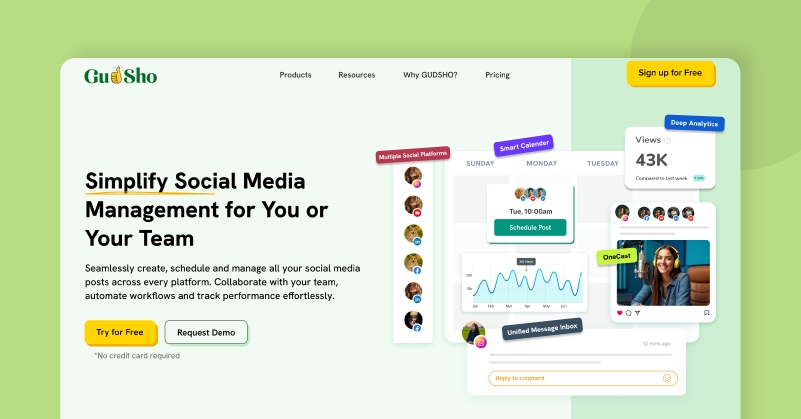
GUDSHO Social is one of the easiest-to-use, beginner-friendly social media scheduling tools for teams and agencies. It offers an exclusive social media workspace with an intuitive content calendar using which you can schedule posts up to a month in advance. This way you don’t struggle with deadlines.
A one-stop social integration system makes all your accounts accessible and connected in one place, so you can simply multi-select and schedule right away, without switching between accounts or tabs.
Stay updated on your social media engagement with a unified social inbox. Track every content performance metric with industry-standard analytics. Always stay on the lookout for opportunities to optimize and improve your social strategy along the way..
GUDSHO Social works best with four post types: videos, images, text and PDFs, making your social sharing smoother and more efficient. Not only that, it also comes with a built-in video editor and thumbnail maker that gives your posts a picture-perfect look. Perfect for easy, last-minute tweaks, smooth, quick editing for social media.
Key Features:
- Schedule and auto-publish on 8+ social platforms like Instagram, Facebook, YouTube, LinkedIn, etc
- Exclusive social media schedule tools to plan and schedule content in advance for up to 30 days.
- You can schedule videos, images, PDFs, shorts, reels and stories on all social channels.
- Built-in video editor that lets you create, edit, and repurpose social media posts in minutes.
- Unified social inbox for seamless communication across all platforms in one place.
- Access to a video library with vast storage to easily host, manage multiple social media accounts, organize and store videos and images.
- Professional thumbnail maker to maximize click-through rates.
- Track and monitor the performance of your scheduled posts with detailed reports.
- Get instant scheduler alerts on the post preview page to manage your posts more effectively across all social channels.
Why You Need It:
Though there are plenty of social media scheduling tools in the market, GUDSHO Social stands out with its ability to make users feel at ease. It eliminates the need for a steep learning curve. It is not only designed for marketers, creators and influencers; the platform is for anyone who use social media for promotions.
The platform has simplified social media scheduling even for the beginners with automated content sharing. This makes promotions easier and engagement smarter in a unified way. Above all, you get a free editor and video hosting support to manage and edit your media files in one place. No installs or downloads are required; the platform is entirely browser-based. GUDSHO Social is browser-based and so you can work seamlessly without switching tabs.
2. Sprout Social
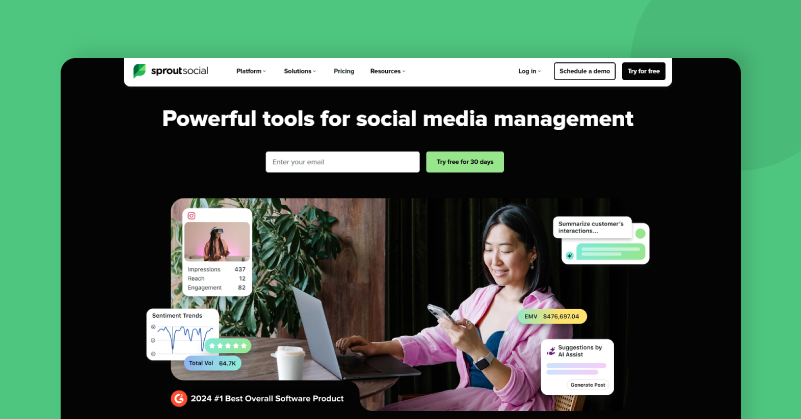
Sprout Social offers the ultimate social media scheduling experience. It allows you to plan, schedule, manage, and deliver engaging social content and successful campaigns.
The platform offers a vast list of features, including integration with 5+ social media channels like Facebook, Instagram, LinkedIn, etc. Also you have content creation tools, a unified engagement inbox, a visual content calendar and much more. You no longer need to guess the prime time, as the platform suggests optimal posting times for maximum reach. Work with your team using streamlined approval workflows for smoother social media management.
Key Features:
- Unlimited social media post scheduling on all social channels
- Automated bulk scheduling with prime post time suggestions
- Social post review management and approval workflows for smoother distribution
- Engagement inbox for seamless and smooth audience engagement
- Built-in social post creator for quick and easy content creation
Why You Need It:
You may come across many social media scheduling tools, but what truly makes each one stand out is its ease of use and all-device compatibility. Instead of evaluating these tools only from the outside, sign in, create an account and try their free trial. Understand how well they support your social media strategy and content distribution. Tools like Sprout Social offer hassle-free SSO setup that secures sign-up, onboarding and simplifies them from start to finish.
The reporting and analytics features are also extensive, covering all the necessary metrics. This helps you gather distinct reports for easier and smarter performance tracking.
3. Hootsuite
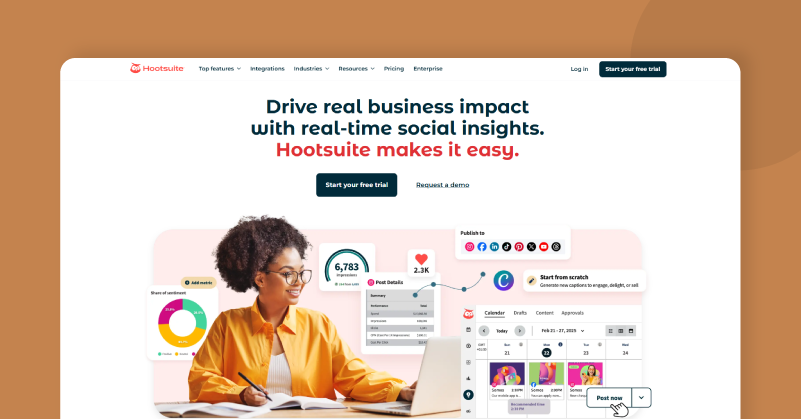
Like GUDSHO Social, Hootsuite also delivers social media marketing and management tools to drive impactful business results. The platform comes with a social media scheduler that lets you share, engage, monitor and analyze social media posts, all in one dashboard. Like other social scheduling apps, you can integrate more than 5 socials, including Facebook, Instagram, YouTube and LinkedIn, etc. This enables seamless content distribution without switching between accounts.
Hootsuite’s calendar provides a comprehensive view of all your paid and organic posts across social networks at a glance, so you never get confused about what is what.
Key Features:
- Schedule bulk posts on social channels effortlessly
- Social listening support to gather audience behavior and preferences report
- Professional content creation tool for quick post creation
- Insightful social media analytics to track post performance across all channels
- An advanced engagement inbox for unified communication across all channels in one place.
Why You Need It:
Hootsuite never lets you get stuck in a creative block. It provides ready-made idea suggestions to help you prepare social content instantly. You can also integrate various marketing tools to achieve lead generation and conversion . The Auto-response is an add-on feature that ensures you never miss communicating with your audience and prioritizes the ones that matter most.
What more do you need when you get all of that in one dashboard? However, this platform is not ideal for beginners who are new to social media scheduling. If you are already using a social scheduling tool and are an experienced user looking for a more advanced tool, then Hootsuite is definitely a good choice.
Social Media Scheduling Tool for Teams on a Budget
Let’s say you are a small team working within a budget and tight deadlines . And you need a user-friendly interface, a streamlined social media management platform with a unified dashboard in a cost-effective way.
In that case, you can choose any of these 3 social media publishing platforms.
4. Sendible
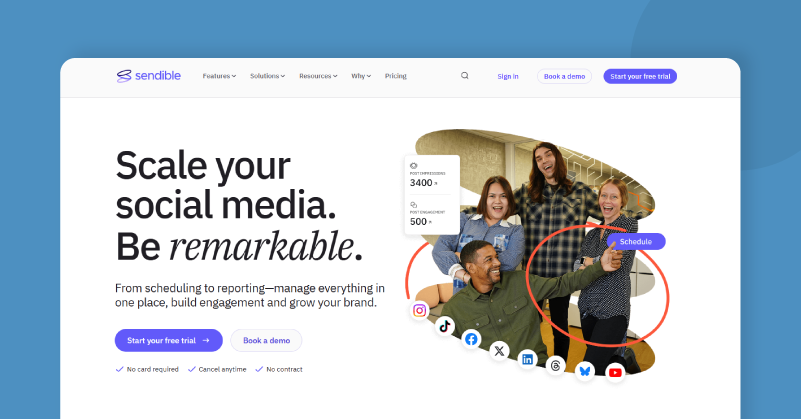
If you’re not interested in taking on too much pressure but still need a social media calendar tool that handles everything for you. Then try Sendible to schedule, generate performance reports , drive engagement and business growth.
Sendible lets you schedule up to 30 days of social media content in advance in just minutes using the bulk importer. Keep your posts fully engaging for viewers by adding tags, locations and hashtags.
Also, you can schedule multimedia content, such as videos, photos, image carousels, stories, and reels, to social channels without push notifications.
Key Features:
- Unlimited social media scheduling and automated report generation for each social channel
- Social media content and hashtag library for seamless post saving and sharing
- Live report sharing on the post performance of all channels in one unified dashboard
- Integrate 5+ social media channels like Facebook, LinkedIn, YouTube, Instagram, etc.
- Content creation tools for quick and easy content creation
Why You Need It:
Unlike other social media schedulers, Sendible offers bulk scheduling and content creation tools to a visual calendar and integration with 5+ social media platforms all at an affordable price. For beginners who need to start with scheduling, promotion and keeping up with deadlines, everything can be done quickly without a steep learning curve.
Content management is also not compromised. It’s made accessible for businesses by enabling effortless content creation, curation and social sharing. Yes, you get all of this in one platform without switching tabs. Try it out and see how it makes things easier for you.
5. Coschedule
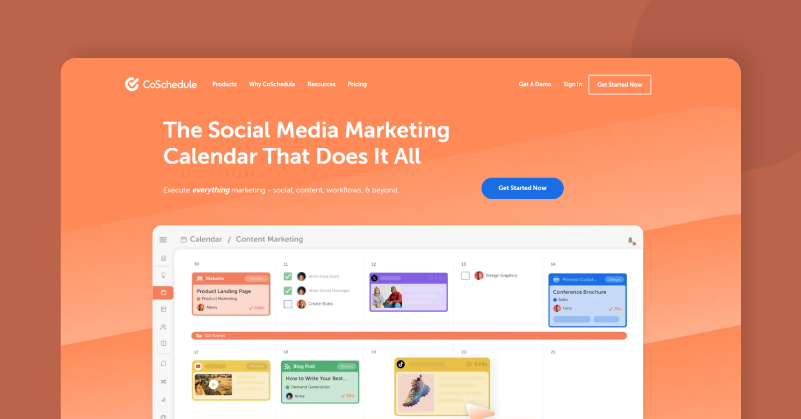
More than a social media management tool, CoSchedule defines itself as a social media marketing calendar. It handles everything required for social sharing, content management, workflow and more.
It doesn’t just offer a content calendar, it provides a fully customizable planner with complete visibility into all your tasks, projects and campaigns.
CoSchedule also offers predefined project templates to help you get started right away. Even if you manage multiple tasks at once or work with compiled files as an agency you can get it all done. Also, you have analytics to track performance and gain deeper insights into how your calendar works and how your posts perform across social channels.
Key Features:
- Social media integration with 5+ social channels like Facebook, Instagram, YouTube, LinkedIn, etc
- Social inbox, with the number of accounts restricted by the pricing plan you choose.
- Offers white label features for multi-profile scheduling
- Analytics dashboard to measure performance
- Easy integration with marketing apps for smooth workflow and task management
Why You Need It:
CoSchedule offers three distinct types of visual calendars, each serving a different purpose, like Content Calendar, Social Calendar and Agency Calendar. These calendars help you schedule and publish content that adapts to your workflow and business objectives.
CoSchedule also offers a suite of marketing tools that help you manage tasks, projects and campaigns with results, making lead conversion easier for your teams. It also provides social publishing for all major networks that includes content management integrations that marketers use every day.
If you are more into planning and scheduling and need an elaborate and purpose-driven approach, then go ahead with Coscheudle.
6. Planable
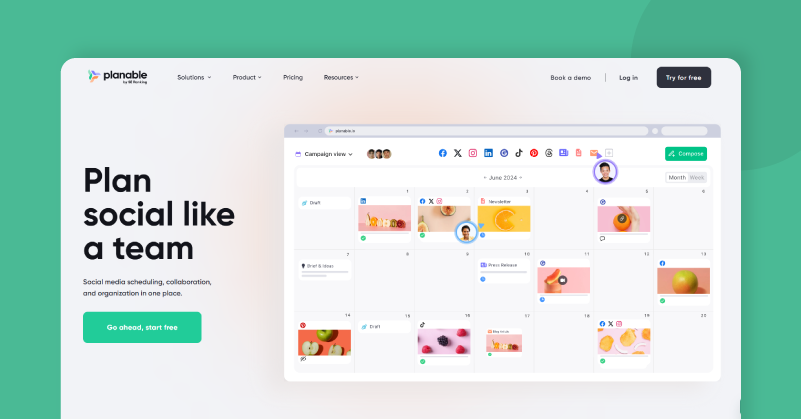
Planable lets you easily plan, schedule, analyze and grow your social media presence in popular channels. It’s built for teams, tartups, creators and small businesses looking to streamline their social media promotions cost-effectively. While Planable comes as a free social media scheduling tool, it doesn’t provide analytics or engagement features unless you opt for a paid plan.
If you’re on a tight budget and only need a fundamental tool to schedule posts across multiple social platforms, Planable could be the perfect choice. Especially if you’re looking for a free tool.
You can also avail of their paid plans to plan with a calendar, preview posts, access collaborative tools, enable approval workflows and achieve more efficient content management.
Key Features:
- Content creation, scheduling and bulk publishing across social channels.
- Media editor to create visuals.
- Content library for easy content management.
- Advanced analytics to measure post-performance across channels.
- Engagement inbox for all social media accounts.
Why You Need It:
Even in the paid plan, Planable offers social media engagement and analytics only as add-ons, which come at an additional cost. This makes the platform expensive, even though its free version is quite budget-friendly. If you’re focused on generating leads through campaigns, consider the other tools we’ve listed in this blog.
If you’re ready to invest in a restricted social media scheduling tool that needs to be upgraded every time you want to increase your posting limits. In that case, Planable can still be a money-saving option.
7. SocialBee
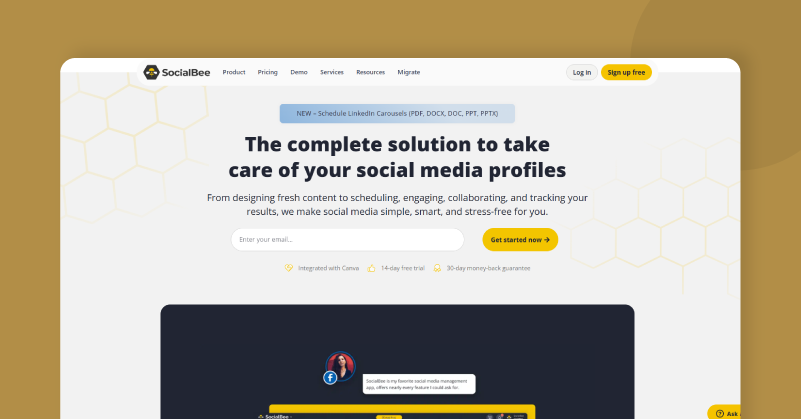
SocialBee can be your all-in-one social media scheduler and assistant, helping you schedule, engage and collaborate through social media. It makes social sharing easy and stress-free with its customizable post creator that fits any brand.
Get instant updates on scheduled content performance while monitoring mentions, comments and engagement in a single, unified dashboard.
Also, SocialBee recommends the best times to post, helping your content stay visible, perform well in the algorithm and keep you at the top of your audience’s feed for engagement and follower growth.
Key Features:
- Provides pre-defined template for quick content creation
- Get access to 1000+ social media prompts
- Unified social inbox for one-stop communication with the audience
- Track key performance metrics to measure post success
- Real-time post tracking analytics are available
Why You Need It:
If you are focused on content approval and team collaboration, then Social Bee is your go-to choice. You also get a wholesome promotional experience with advanced social media management features that help you engage, collaborate and track results.
You can use the platform’s personalized recommendations to find the best times to share your posts for maximum social impact. With quick and easy integrations with top social media platforms like Facebook, Instagram, X, YouTube, etc you can start scheduling without worrying about the cost.
Platform-Specific Social Media Scheduling Tools
Suppose you are not worried about the cost and are already familiar with social media scheduling platforms, but are looking for a platform change. In that case, any of these two handpicked options can help you rule the show.
8. Zoho Social
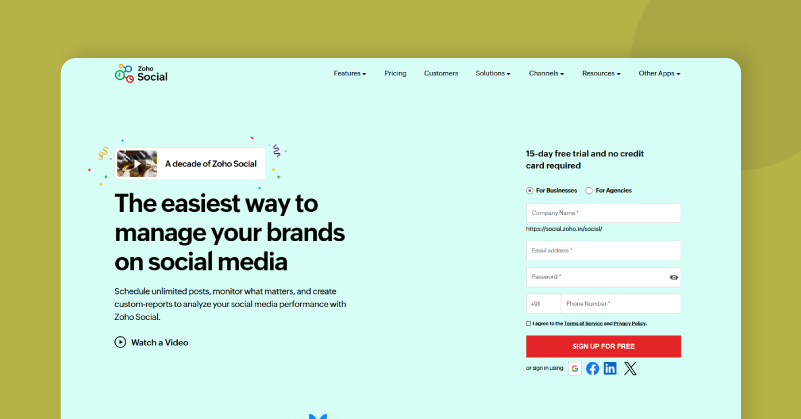
Zoho Social offers the easiest way to schedule and manage your brands and business on social media effectively. Make your social media promotion smooth and professional by scheduling unlimited posts, monitoring the metrics that truly matter and creating custom reports to analyze and optimize content for better performance.
It includes a simple, comprehensive social media calendar tool that lets you manage posts for every platform in one place. Use the drag-and-drop features to plan, manage and schedule content by week or month.
Zoho Social helps you leverage automated scheduling features to share posts in seconds, maximize engagement through unified communication, and track analytics. You can track and understand your social media performance across top platforms like Facebook, Instagram, X, YouTube, TikTok etc.
Key Features:
- Bulk social media scheduling across social channels
- Manage all your social media conversations in one unified inbox
- Social media monitoring and real-time analytics
- Built-in media library for media access
- Image editor for quick social media post creation
Why You Need It:
Zoho Social offers not just analytics but also allows you to track your social engagement. You can also build your social media strategy through the social listening dashboard to deliver impactful results that resonate with your audience.
You also get a dedicated space for all your DMs in one place without having to switch between social accounts or tabs. The dedicated content creation tools help you create professional content, along with suggestions for optimal posting times to improve engagement.
9. SocialPilot
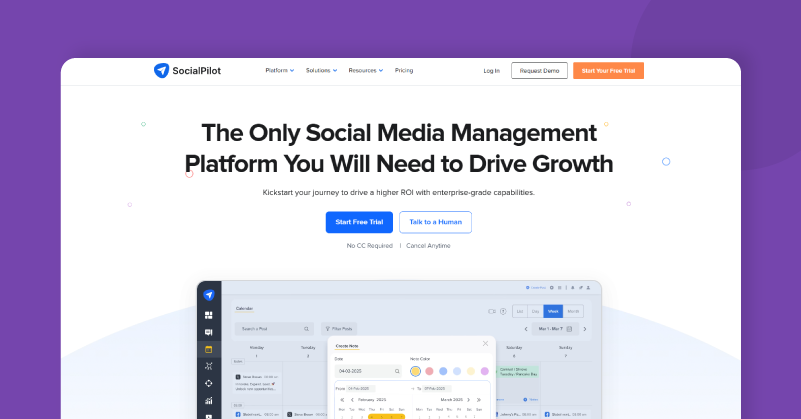
SocialPilot is a powerful social media scheduling tool that lets you schedule Instagram Reels, Facebook posts, YouTube Shorts, TikTok videos etc.
This tool is ideal for both start-ups and large-scale enterprises for social media promotions. it helps teams and agencies for automate social media publishing and track activity across platforms.
The platform also offers a built-in content library for storing videos and a content editor to fine-tune posts. Manage your posts seamlessly and make every social scheduling task a smooth and engaging experience.
Key Features:
- Bulk-schedule hundreds of social posts at a time.
- Unified social inbox for seamless communication
- Two-factor authentication (2FA) for secure social campaigns.
- Insightful analytical reports on social media performance.
- Internal teams and project workflow approvals
Why You Need It:
The SocialPilot scheduling tool offers innovative features, such as multiple admin role access, to enable smooth team collaboration and workflows .
Also, SocialPilot provides exclusive branding features to customize using your brand logo, colors and themes to emphasize brand identity. Whether you are handling projects as an agency or you are a brand, creator or business aiming to boost brand awareness, the platform allows you to run social media promotions efficiently.
10. SocialBu
SocialBu offers one of the easiest ways to manage social media, even for beginners. The platform not only schedules posts across multiple platforms but also helps you create, curate, automate and analyze content across various channels from a single dashboard.
By choosing SocialBu, you can plan content, bulk-schedule posts across all your social accounts in minutes and manage your social media on autopilot.
Not just that, SocialBu also helps you streamline everyday repetitive tasks, analytics and engagement, allowing you to focus more on what matters most.
Key Features:
- Integrate 50+ social media accounts at once to schedule posts simultaneously
- Unlimited social media post scheduling
- Built-in social media content creation tool
- Social inbox for unified engagement across channels
- Team collaboration and content approvals for smooth workflow
Why You Need It:
Like other scheduling tools, SocialBu allows you to bring in team members to collaborate, plan, create and schedule posts. If you’re running an agency, business, brand or marketing team, this tool is efficient enough to handle internal communication within the platform.
This means you don’t have to delay scheduling or finalize content by manually sharing it elsewhere. With just one tool, you can ensure seamless productivity and get multiple tasks done in one place.
11. Agorapuls
Agorapulse offers effective social media scheduling with impactful business and brand outcomes. This tool helps users overcome the challenges of managing, scheduling and maintaining social media profiles separately, allowing you to manage them all in one place.
Agorapulse helps teams streamline social content management with an organized content calendar, bulk scheduling posts across all major social media platforms, all from one platform.
It also enhances team collaboration by eliminating the frustration of sending multiple emails and messages for approvals. Instead, you can keep your teams connected internally, with built-in workflows and approval processes that drive real-time teamwork and results.
Key Features:
- Schedule and auto-publish unlimited posts across all channels
- Manage all messages and organic comments from a single social inbox
- Align your team with shared content calendars
- Access advanced analytics reports for every platform in one place
- Multi-step approval workflows for teams
Why You Need It:
If you are looking for an optimized scheduling tool that covers auto-publishing across multiple networks, bulk scheduling and visual content calendars, then Agorapulse is a great choice. Social media customization, post previews and first-comment scheduling help maximize engagement across platforms effortlessly.
Agorapulse also offers advanced analytics and reporting to measure social performance, audience sentiment and ROI. From instant social integrations to an all-in-one solution for managing, publishing and social listening, it can be your go-to tool for efficient social media management.
12. HopperHQ
HopperHQ is a simple social media scheduling and analytics tool that helps you visually plan, create and manage your social media content. You can also auto-publish multiple content formats, including stories, reels, carousels, images and videos across all major social media platforms.
There’s no need for any downloads or installation; you can start using HopperHQ straight from your web browser or on your iOS or Android device with a simple sign-in.
Not only can you bulk create hundreds of social posts in minutes using the CSV importer, but you can also plan and schedule content through a comprehensive content calendar and grid planner. This helps you collaborate seamlessly across multiple social accounts from one place.
Key Features:
- A visual-first post planner that integrates all social channels in one place.
- A link in bio tool option is available.
- A social media content calendar for simultaneous scheduling.
- A watermark remover for social media posts.
- Post approvals and collaboration tools for teams.
Why You Need It:
If you’re looking to post with less stress and grow faster, then HopperHQ can be the right tool for you. By auto-publishing posts and Stories, you can keep your brand consistent and visible without needing to be online all the time.
You also get a built-in image editor, caption creator and smart hashtag generator that support impactful cross-posting with better reach. Also, you can manage all your social accounts in one streamlined dashboard without having to switch between multiple tools.
13. Later
Later is a well-known social media publishing tool that lets you post consistently and on schedule, without worrying about deadlines.
It helps keep your social media feed fresh, active and organized from one dashboard through auto-publishing across major social channels.
You can bulk schedule single images, videos and carousel posts to maximize visibility and resonate with the audience’s interest. Also, you can plan with a visual calendar, optimize content with built-in editing tools, preview your feed before publishing and manage everything seamlessly right from your browser.
Key Features:
- Smart scheduling options with trending insights
- Social inbox for seamless engagement across channels
- Platform analytics to track performance in every integrated account
- Custom roles and permissions for a secure social media management
- Monitor brand mentions across social media channels
Why You Need It:
Like other social media scheduling tools, Later comes with all the essential features to cross-publish posts across various channels. It makes bulk scheduling smooth and personalized, so you can maintain seamless sharing without switching accounts.
You can also upload files from various sources such as Dropbox, Google Drive or even import directly from Canva and easily organize your Media Library with labels. This saves time and makes your social media management effortless, all from one place.
14. VistaSocial
It’s the ultimate social media scheduling tool that every brand and agency might be looking for. VistaSocial helps you find, collaborate, schedule and boost social media content across channels with smart and faster scheduling.
It’s visual planner and post previewing options help you schedule effectively without feeling overwhelmed to share multiple posts across multiple channels. You can track engagement, analytics and audience insights from one dashboard to optimize your strategy and review your posts. This helps you grow your brand and achieve your business goals effectively.
VistaSocial also helps you build relationships with your followers by managing all your social media messages, comments and reviews through unified engagement.
Key Features:
- Connect and manage 15+ social media profiles simultaneously.
- Review management tools for teams to collaborate effectively.
- Advanced workflows for faster social media scheduling.
- Automated DMs to keep messaging active 24/7.
- Built-in listening tool to stay on top of trends.
Why You Need It:
VistaSocial offers an exclusive media library to keep all your photos, videos and user-generated content organized and accessible across devices, so you and your team don’t have to fetch them from external sources every time you schedule.
You can also create stunning visuals with the built-in Canva integration and easily organize your social media accounts using labels, clients, or projects. The platform as helps you collaborate seamlessly with your team on post drafts, approval and permissions, with instant notifications to stay on track and finalize content on time. Bulk upload and post content from anywhere using optimal posting times through VistaSocial’s mobile app by saving time and boosting productivity.
How to Choose the Best Social Media Scheduling Tool?
Here are the top points that are easy to grasp and understand, and will help you choose the right tool.
If a platform ticks the checklist below with a simple UI, top features and scheduling capabilities at an affordable cost, then that’s your holy grail.
- See if the platform aligns with your goals and objectives: Decide whether you need a basic scheduling tool or require additional features like a social inbox, analytics, content creation or editing, team collaboration and prime-time suggestions.
- Check how efficient and simple the platform works for you. Pick a tool that’s intuitive, quick to navigate and easy to use, without having to go through a technical learning curve.
- Verify social media integration. Make sure the tool supports all the platforms you use, from Facebook, Instagram, YouTube, X, TikTok, LinkedIn and more.
- Check pricing plans and cost structure. Compare plans based on features like scheduling calendar, post limits, insights and team access. Don’t just go for the free or cheapest option; focus on the value it provides.
Time to Wrap Up & Start Scheduling!
With so many social media schedulers mentioned, we’ve provided insights into each to help you pick the right one. Choose the tool that makes your scheduling smooth and stress-free.
These tools are absolutely automated, visual, professional and simplified. Yes you can get your social media scheduling started right away!
🥳 Wishing you a blissful content journey!
Frequently Asked Questions
Can I schedule social media posts for free?
Yes, there are various social media management tools that offer forever free plans with limited features, as well as 7 to 14-day free trials. You can start scheduling social media posts using platforms like GUDSHO Social, Buffer, Hootsuite or Later. Try the free plans to see how compatible you are with each platform before you move to the pricing.
Why should I use a social media scheduler?
It saves you from manually scheduling posts across multiple social accounts, switching between platforms, and engaging with each audience individually. Using a social media scheduling tool lets you save time, plan posts ahead and maintain a consistent posting schedule. It also helps optimize post timing by engaging audiences when they’re most active.
What is the best social media scheduling tool?
Various social media scheduling tools automate posting and distribution, so you can try platforms like GUDSHO Social, Buffer, Hootsuite, Sprout Social and others.
Can social media scheduling tools post automatically?
Yes, these tools can automate the scheduling and distribution process across multiple social media accounts seamlessly.
Do these tools support bulk scheduling?
Yes, tools like GUDSHO Social, Hootsuite, Buffer and others support bulk scheduling and automate content distribution across social channels effortlessly.
Can I manage multiple social media accounts with one scheduling tool?
Yes, you can manage most of your social media accounts in one dashboard using a social media scheduling tool, streamlining your entire social media process.
Are social media scheduling tools helpful for agencies?
Yes, these tools help agencies seamlessly handle multiple clients, manage various account and streamline workflow processes. They also offer collaboration and analytics features for teams, keeping everything organized and transparent.
 Haripriya is a Digital Marketer skilled in video editing tools and social media strategy, focused on boosting social media engagement and driving meaningful brand interactions online.