Later is a popular social media management tool among marketers for its ease of use, stability and reliability. But one question strikes your mind: Is Later still the perfect fit for your social strategy? or is it time to look for more smarter and easier options?
Just like others, you may also have started your social sharing with Later for its user-friendliness and efficiency. After using it for a long time, you would have simply outgrown its capabilities or your team requires more creative freedom and better analytics.
Worry not! We have researched nearly 15+ platforms and listed the top 10 Later alternatives that might give you a serious upgrade. Let’s dive deeply and find the right social media management platform that’ll boost your digital impact.
Why Do Brands Want to Switch to a Later Alternative?
Switching to a Later alternative might be because of many reasons. But primarily it is for Later’s specific focus on Instagram and TikTok scheduling, as it fails for businesses that need broader multi-channel management such as Twitter, LinkedIn and Pinterest. Also, after a period of time as the content volume or team size grows, so does its pricing, which makes them search for cheaper options that scale better.
The other common factor is the absence of advanced social listening tools that allow real-time brand monitoring and competitor insights. Teams also need better collaboration and approval workflows to increase their productivity. All these gaps drive demand for top Later alternatives with more social media management features and customization.
Later alternatives are getting richer features such as social listening, AI content tools and multi-platform support.
Choosing the best Later alternative from an excellent list of free and paid options depends on your business needs, team requirements and budget flexibility.
Compare this range of top Later alternatives for social media management like GUDSHO, Buffer, SocialBee, Planable, Sprout Social, CoSchedule and Loomly based on business needs and objectives.
Key Features to Look for in Later Alternatives
- Multi-Platform Scheduling: Posting across Instagram, Facebook, TikTok, LinkedIn, Twitter (X), and more should be standardized.
- Advanced Analytics & Reporting: Get detailed engagement metrics such as likes, views, comments, mentions, clicks, shares, impressions and more to optimize your content.
- Team Collaboration: A centralized content workflow with roles, comments and approval tracking increases productivity.
- Content & Automation Tools: Get caption suggestions, content recommendations, auto scheduling and more to post at optimal timings.
- Social Inbox: Manage, organize and reply to all your mentions, comments and messages from a single place.
Top 10 Later Alternatives & Competitors in 2026
Here are the best Later alternatives for managing your social media channels. Each platform has its own unique features to suit various business types and needs.
1. GUDSHO Social
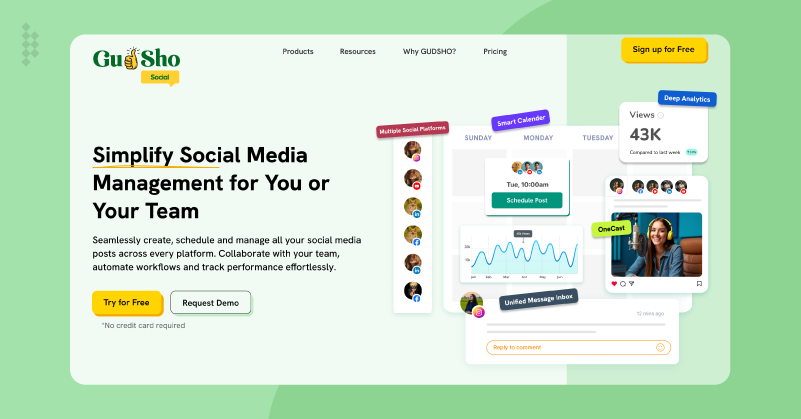
Best For: The ideal social media management tool for agencies, marketers and businesses that want to edit, manage, schedule, publish, and analyze from a single platform.
Ease of use: Clean and user-friendly interface, even for beginners.
Price: 14-day free trial and custom plan based on your needs. For details contact here.
GUDSHO Social is an all-in-one social media management platform that helps you create, manage, schedule, publish and analyse your social posts all from a single platform. Its innovative social calendar lets you plan and schedule posts up to 30 days in just minutes. All mentions and comments are consolidated into its unified social inbox, so you’ll never miss your audience engagement and interact with them instantly.
Additionally, the built-in editor lets you edit your content and make last-minute corrections before publishing all without any additional software or skill. The analytics show you real-time data of views, clicks, shares and engagement to make data-driven decisions and amplify your social efforts. That’s not all, it is specifically designed to reduce complexity, automate repetitive tasks and maximize your content’s impact effortlessly. The user-friendliness and reliability of GUDSHO Social are what make it a strong alternative to Later.
Key Features
- Plan, automate and publish content across multiple platforms, saving time and maintaining consistency.
- Bulk schedule your posts worth up to 30 days in just a few minutes.
- Manage comments and mentions from all your socials on a single dashboard.
- Get detailed performance metrics such as impressions, views, clicks and engagement to improve your strategy.
- Trim, crop, split & merge your videos using the built-in video editor.
| Pros | Cons |
| Beginner-friendly platform with bulk scheduling | Basic editing features |
| Unified inbox saves time for faster response | More advanced features are on beta testing |
| Strong team and client approvals |
GUDSHO Social vs Later: Which is Better?
Unlike Later, which is known for its Instagram-centric visual scheduling, GUDSHO Social is an all-around social media management platform. You can host and edit videos directly on GUDSHO, schedule bulk posts across more social channels, and engage followers in one unified inbox. In contrast to Later, which is mostly a scheduling tool, GUDSHO Social provides video hosting, editing, webinar and social media analytics on one dashboard. This is a flexible Later alternative, especially for brands looking to integrate rich video content promotion with social posting and real-time engagement.
2. Buffer
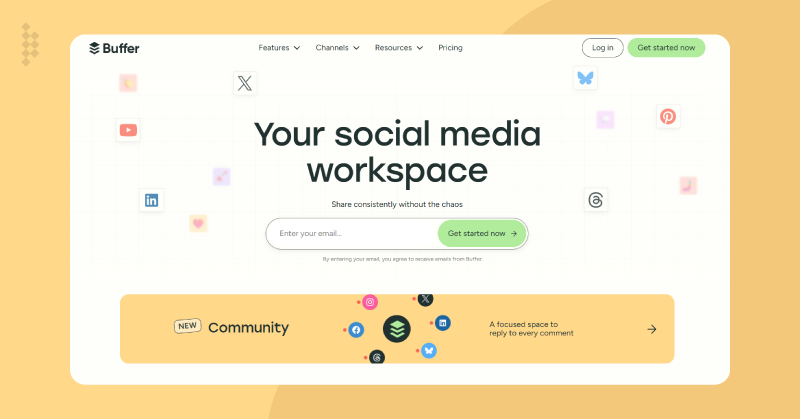
Best For: Solo marketers, startups & small to medium businesses who need a no-fuss social media management tool
Ease of use: Minimalistic interface lets beginners schedule posts across multiple channels in a few clicks
Price: Free plan with limits, and the paid plans start at $5 per month.
Buffer is a social media management app that helps you schedule, publish and analyze your content on Instagram, Facebook, LinkedIn, X and Pinterest. Its clean interface allows you to plan, organize and schedule your posts on a drag & drop visual content calendar. And for newcomers, Buffer’s free tier is a good entry point, while paid plans provide you with team collaboration tools and analytics on audience growth and engagement, helping you identify the best day to post on Instagram for better reach and interactions.
If you’re comparing social media management tools, it’s helpful to explore a detailed breakdown of Buffer vs Hootsuite to understand how they differ in automation, collaboration and overall performance.
You can also integrate Buffer with other social media marketing tools for streamlined workflows and its browser extension lets you share from anywhere on the web. It is a popular free alternative to Later for people who want accessibility and simplicity over performance metrics. However, marketers exploring Buffer alternatives often compare other social media management tools that offer deeper automation, collaboration or in-depth analytics features. Whether you’re a one-person operation or a growing startup, Buffer helps you stay consistent with your social media presence and communicate with your audience without the technical headaches.
| Pros | Cons |
| Free plan with limited posts and channels | Basic analytics on starter plan |
| Simple queueing feature for beginners | Lacks advanced team collaboration features |
| Easily import from Canva and Dropbox | No video marketing features |
Key Features
- Schedule & publish posts simultaneously on major social networks such as Instagram, Facebook, X, LinkedIn and Pinterest.
- Organize campaigns and plan your posts instantly with its drag & drop interface.
- Let your team members collaborate, review, approve & manage content workflows.
- Track post performance, audience engagement and follower growth in clean & actionable reports.
- Use Buffer’s browser extension and mobile app to share your content from anywhere.
Buffer vs Later, Which is Better?
Both Buffer and Later offer similar core features in social media management, but differ in needs. The simple, multi-platform scheduling engine behind Buffer is great for users wanting simple post planning across social channels. Whereas in Later, there is a visual planner for Instagram that supports drag-and-drop scheduling, better story and hashtag features. Though visual content creators and small brands tend to use Later more often, Buffer offers more platform support and easier team collaboration. The free tier makes Buffer a tempting Later alternative for small businesses and entry-level users needing multi-channel management.
3. SocialBee
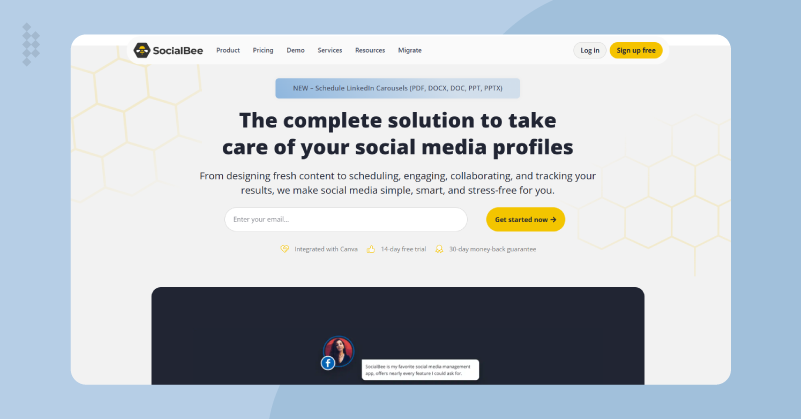
Best For: Small to medium-sized teams and content creators who need consistency, high-quality content delivery and audience interaction.
Ease of use: Clutter-free dashboard with drag & drop interface lets anyone use it easily.
Price: Free 14-day trial, and its plan starts from $24 per month.
SocialBee is a feature-rich social media management platform specifically designed to simplify and boost your digital marketing efforts. The platform’s strength is its content recycling feature, as it lets you reuse evergreen material to expand organic reach. Also, its social inbox combines comments, DMs and mentions so you can stay in touch with your audience and respond instantly. Using the automation tool, you can plan and set your posts and forget about them as it takes care of them without any intervention.
That’s not all, the advanced analytics lets you track engagement metrics like reach, impressions and follower growth, all of which will give you actionable data to refine your strategy. The combination of automation, collaboration and analytics makes Social Bee a reliable social media toolkit to manage and scale your Social media presence confidently.
Key Features
- Repurpose your evergreen content to maximize your organic reach.
- Manage all social interactions such as comments, DMs and mentions, so no engagement is missed.
- Drag & Drop scheduling gives you an idea of upcoming posts across platforms.
- Publish automatically, recycle popular posts and automatically keep your feed active without constant manual labor.
- Track engagement, growth & performance across all channels to optimize your strategy.
| Pros | Cons |
| Evergreen content recycling to keep feed live | Only basic reporting lacks depth |
| AI Copilot helps to spark new ideas | Very limited platform support |
| Queue content based on category | Not ideal for larger enterprises |
SocialBee vs Later, Which is Better?
Though visual-centric scheduling is a big part of Later, SocialBee is a more holistic approach to social inbox management, content recycling and automation. Later focuses on visual planning and hashtag management for brands that care about aesthetics, while SocialBee is a social media management toolkit that combines everything in one place. Small businesses looking for an affordable multi-channel scheduling tool will find SocialBee a simpler, more intuitive alternative to Later that helps build a consistent and engaging social media presence across all platforms.
4. Planable
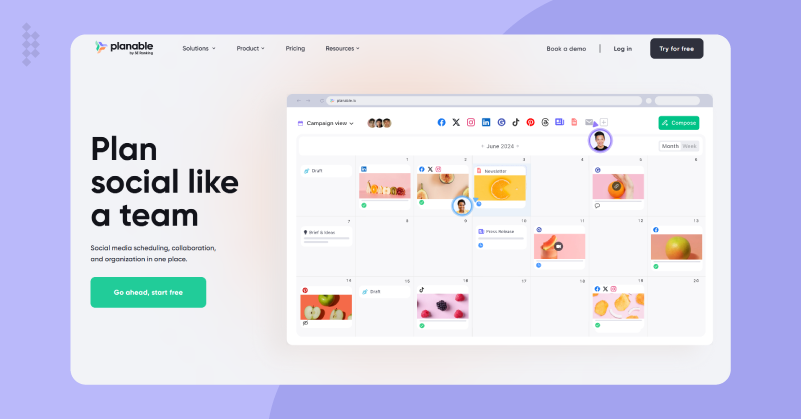
Best For: Marketing teams, agencies & businesses focused on workflow transparency and clarity.
Ease of use: Even newcomers to social media management will get used to Planable’s clean design.
Price: Free plan with 50 posts limit, and its paid plan starts from $33 per month.
Planable is a best social media scheduling platform that enables content creation, review, scheduling & team communication. It lets you easily manage content approvals, comment live and drag & drop posts across Facebook, Instagram, Twitter, LinkedIn and Pinterest from its visual content calendar. The focus on teamwork is what makes Planable unique, as it helps marketers, agencies and clients collaborate well before content goes live.
Additionally, it reduces bottlenecks and speeds up publishing with client-friendly previews, integrated multi-account management and integration with tools like Slack. Whether you’re coordinating with remote teams or looking to manage social media accounts for multiple clients, Planable gives you transparency and accountability so you can maintain consistency without the headache of scattered feedback or delayed approvals.
Key features
- Visual drag & drop calendar lets you organize and reschedule your social posts in a glance.
- Instantly collaborate with team members or clients to get feedback on the posts.
- Easily assign tasks, deadlines, and manage content approval efficiently across your team.
- Multi-channel support lets you schedule your content across Instagram, Facebook, Twitter, LinkedIn, Pinterest and more.
- Integration with Slack and other tools makes communication better by syncing comments and approvals with your apps.
| Pros | Cons |
| Real-time previews to see how your posts look | No free plan just trial only |
| Agency level collaboration to streamline the entire process | Very basic analytics than others |
| Eliminates feedback loops among teams and clients | Expensive for small teams and businesses |
Planable vs Later, Which is Better?
Both platforms have social media scheduling and their unique strengths. Later’s focus on visual Instagram scheduling and hashtag management makes it a perfect choice for solo creators and small businesses with a focus on visual content. In contrast, Planable is a collaboration powerhouse built for teams and agencies who need real-time feedback, multi-user approvals and transparent workflows. Instead of being an individual-centric approach like Later does, Planable facilitates open communications among teams and is therefore the best Later alternative for businesses where several people must work together to approve content before publishing.
5. Sprout Social
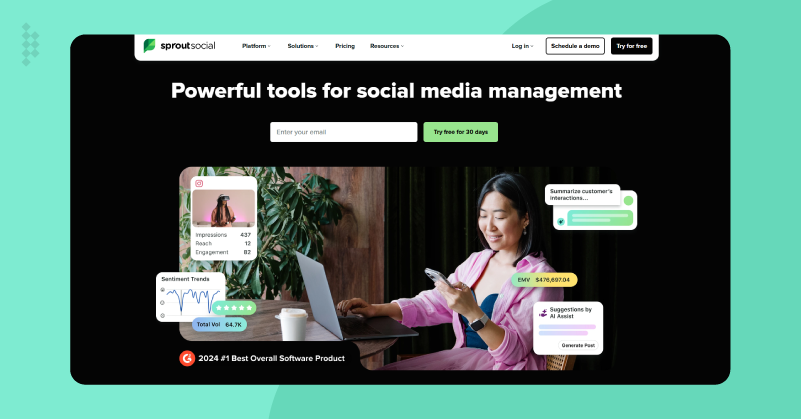
Best For: Mid-sized to large companies that require enterprise-grade analytics, CRM and advanced social listening tools.
Ease of use: Requires a learning curve to use and navigate the platform.
Price: 30-day free trial and plans start at $199 per month.
Sprout Social is a fully integrated social media management platform for brands looking to increase their social engagement and customer relationships. The advanced social listening tool capability of Sprout allows you to measure brand sentiment, competitor activity, and trending topics to help you make better real-time marketing decisions. Also, its Smart Inbox centralizes all your social interactions, so messages and mentions don’t get lost.
That’s not all, the CRM functionality enables marketers to follow conversations and connect with customers better and faster. Sprout Social’s premium experience is still clean and accessible, while giving a good balance for marketing teams looking for depth and automation in one place.
Key Features
- Smart Inbox helps to manage all your social messages, comments and mentions in one place.
- Advanced social listening and sentiment analysis are used for monitoring brand health and market trends.
- Schedule and publish across 8+ leading social networks such as Facebook, Instagram, LinkedIn, TitTok and more.
- 360-degree reporting dashboard with customizable analytics and ROI tracking.
- Extensive CRM integrations for a more personalized customer engagement and relationship management.
| Pros | Cons |
| In-depth analytics and data metrics | Not for beginners as it requires steep learning curve |
| Smart inbox to respond instantly and increase productivity | Expensive for starters and individuals |
| Strong listening tools to monitor competitors | Very complex to setup and navigate |
Sprout Social vs Later: Which is Better?
Sprout Social is specifically built for enterprises and large organizations that need beyond Later’s Instagram-focused scheduling and visual content planning. Later works well for small to medium brands that need drag & drop post management and hashtag strategies, but Sprout Social is for bigger brands that need big data insights, customer engagement and multi-platform conversation management. With a rich Smart Inbox, sentiment analysis and CRM integration capabilities, it can be a sturdy Later alternative for bigger marketing teams looking to personalize social interactions and grow their sales.
6. CoSchedule
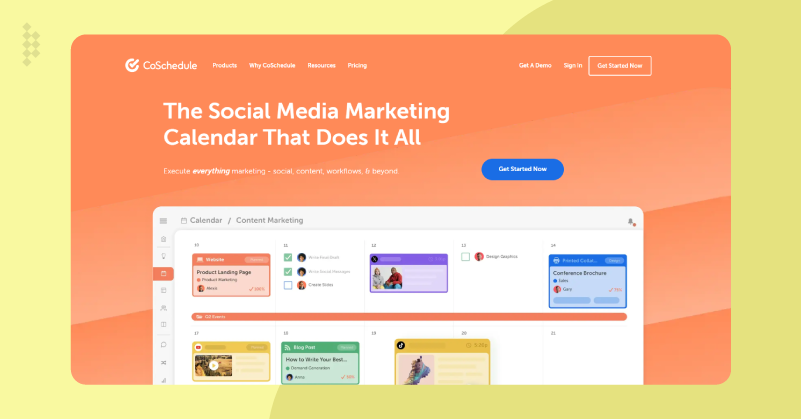
Best For: Small to large brands and agencies that want a centralized calendar management for social media.
Ease of use: The interface is easy to use but some feel it is cluttered.
Price: Free plan with 1 social profile, and paid plans start from $19 per month per user.
CoSchedule is an all-in-one AI-powered marketing calendar & social media management tool that brings all your content marketing efforts into a single place. So, whether you manage social posts, publish blogs, or run email campaigns, CoSchedule’s unified calendar helps you organize your entire marketing workflow. While its simple drag & drop interface makes scheduling easy and the automation features eliminate repetitive tasks to streamline your workflows.
CoSchedule also provides detailed analytics to measure the impact of your campaigns for you to make data-driven marketing decisions. And the best part is that it integrates with WordPress, Google Analytics & popular social channels to help you maintain brand consistency and increase your social media impact through strategic planning.
Key Features
- A unified AI-powered social calendar to schedule and publish content on various social channels.
- The simple drag & drop design provides flexible content planning.
- Automation of workflows eliminates manual and repetitive tasks to improve efficiency.
- Team collaboration tools such as task assigning and content approvals boost productivity.
- Performance analytics and reporting help to optimize your campaigns with ease.
| Pros | Cons |
| All-in-one content calendar with real-time feedback | Expensive for social only platform |
| ReQueue features to reshare posts | Heavy marketing suite for newbies |
| AI based analysis to find the best time to post | Very out-dated interface |
CoSchedule vs Later: Which is Better?
While CoSchedule is an integrated marketing and content calendar solution, Later is a social media scheduling tool focusing on visual content planning for Instagram. The latter is best for small businesses and creators who just need a simple post scheduler and hashtag tools. But CoSchedule works best for marketing teams and agencies that need broader management of social media, blogs, emails, podcasts and other marketing activities. CoSchedule is a good Later alternative for brands looking for campaign management beyond social posting.
7. Loomly
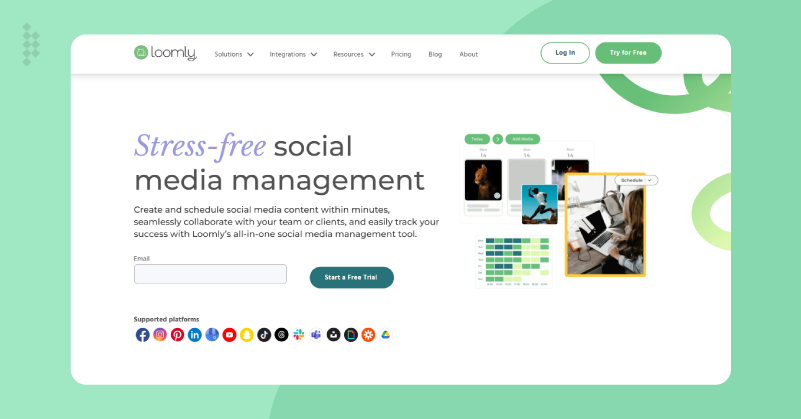
Best For: Marketing teams, agencies and content creators looking for a unified approach to content planning, calendar management and publishing.
Ease of use: Even newbies find it organized, simple and easy to use.
Price: Free trial available, and plans start from $32 per month.
Loomly is a smart social media management platform that helps marketers plan, create, and publish content on Facebook, Instagram, Twitter, X, LinkedIn, and Pinterest. It is notable for its AI-powered content suggestion that suggests post ideas, hashtags and best publishing times to make posting easier. The built-in visual content calendar groups all your scheduled posts and campaigns in one neat interface for easy rescheduling.
You can also let teams share feedback, approve drafts and manage multiple social accounts easily using its collaboration features. It doesn’t end there; the automated publishing and custom post formats make multi-channel management easy while your message stays on brand. The combination of creative inspiration with structured execution on Loomly is what makes social media management fun and productive.
Key Features
- AI-powered content suggestions help you to find ideas, hashtags and optimal posting times to increase reach and engagement.
- Visual content calendar shows all your posts and campaigns in one place and lets you identify any gaps.
- Collaboration tool streamlines your workflows for feedback loops, role management and content approvals.
- Multi-channel publishing lets you post directly to Instagram, Facebook, Twitter, LinkedIn, YouTube, Pinterest and more from one place.
- Get actionable reports to monitor your post-reach, engagement and audience growth.
| Pros | Cons |
| Excellent post previews to eliminate errors | Free plan only limits to 5 posts |
| Best hashtag suggestions to reach more audience | Basic level analytics |
| Visual content calendar collaboration | Very few integration compared to others |
Loomly vs Later: Which is Better?
Unlike Later, which focuses on visual planning and scheduling, Loomly gives you a broader creative toolkit with AI-driven content suggestions and cross-platform publishing. The strength of Later lies in its media calendar and hashtag tools, but Loomly is built for teams and agencies looking for inspiration in planning workflows and easier collaboration across multiple channels. Its intelligent content recommendations & approval system give it a supporting edge in managing large-scale campaigns. For marketers needing a Later alternative that marries creative support with integration, Loomly is a flexible and nimble choice.
8. Zoho Social
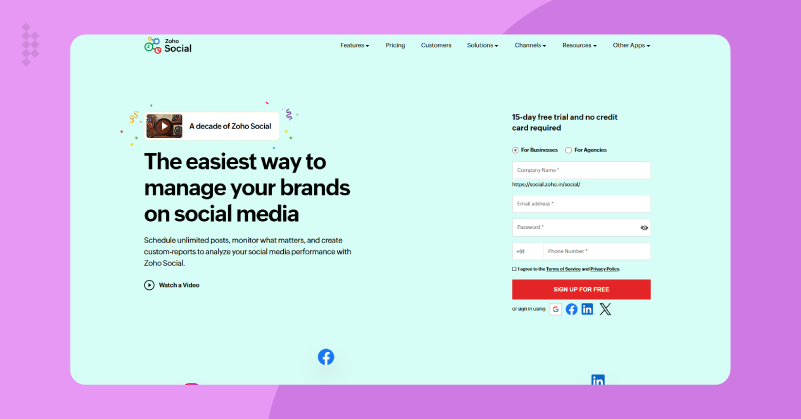
Best for: Small and medium business using Zoho ecosystem and needs CRM integration
Ease of use: Intuitive dashboard with drag-&-drop calendar
Price: Free plan for managing 1 brand and paid plan starts from $10/user/month
Zoho Social is a solid social media management tool for team already using Zoho CRM. The AI shows you when to publish on socials like Facebook, Instagram, LinkedIn, Twitter, and Google My Business for better audience reach. You can easily plan your content into a neat visual roadmap with its content calendar. Its unified inbox lets you manage all your comments and messages for faster response.
With custom feeds, you can eavesdrop on competitors and use social listening to detect sentiment changes. Those bulk RSS pulls keep ideas flowing, while the streamline your content approvals for teams efficiency. If you’re looking for Later alternatives for small businesses, then Zoho Social is the perfect choice without being overwhelming as it is affordable and easy to use.
Key Features
- You can drag-&-drop posts visually, get reminders and never miss prime windows again with a smart scheduler that analyzes your audience data to suggest peak posting times across platforms.
- All your DMs, comments and mentions are in one place to reply, assign or tag teammates quickly without switching apps.
- You can pull new blog content from sources into your queue using custom RSS feeds and watch it become social posts on auto-scheduling.
- Set up feeds for rival brands and keywords to see their top posts, engagement patterns & learn smart strategies for your own content.
- Social interactions go right into Zoho CRM pipelines to get leads from comments, follow conversations, and close deals without entering data manually.
| Pros | Cons |
| Internal CRM integration for lead generation | Only ideal for users with in Zoho ecosystem |
| Affordable for small and medium businesses | Visual planning is weaker and limited |
| Solid social listening feature to monitor competitors | Very few creative tools than others |
Zoho Social vs Later, Which is better?
For those of you already using with Zoho CRM, Zoho social is your top choice as it lets you generate leads from tweets to deals with social listening tools. Later on the other hand offers amazing Instagram grids and Link in bio which focuses mostly on visual appeal. Zoho Social is an ideal tool for brands and businesses who value ROI.
9. Post Planner
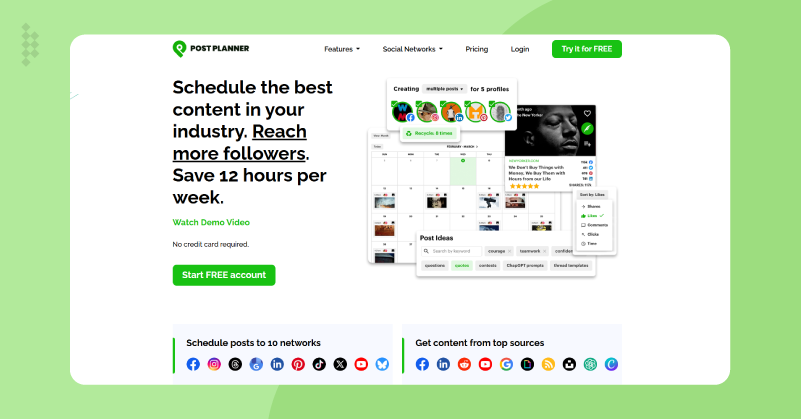
Best for: Solo creators who are constantly hunting for viral content ideas.
Ease of use: One of the most simple tools to search viral content and schedule posts.
Price: Free plan with limits to test the platform and paid plan starts from $3/month
Post Planner is built for anyone who needs instant content ideas and relief from creators’ block. It lets you check millions of posts across Facebook, Twitter and Pinterest to see what went viral in your niche, tweak it and then schedule it. You can easily queue your entire content while getting suggestion for viral hashtags to reach more audience.
The viral scores help predict performance of your post before publishing. Inbox tracks engagement while basic analytics show top performers to optimize your other non-performing content. It has no team collaboration features, yet it saves hours of brainstorming sessions. Post Planner is a cheap alternative to Later when inspiration is your bottleneck.
Key Features
- Search millions of top posts for any specific niche to copy what works, adjust for your voice and schedule instantly without blank-page panic.
- Analyze trending hashtags per platform to boost discoverability without guesswork or manual research.
- Industry-curated feeds pull endless ideas to eliminate idea block and ensure consistent posting.
- Optimal one-click queues free you from daily logins and keep your feeds live.
- Follow likes and shares per post to spot top performing content for repeat growth strategies.
| Pros | Cons |
| Innovative viral search database for find viral content | Very basic analytics compared to others |
| The most affordable tool even for newbies | No team collaboration or approval features |
| Hashtag generator to find relevant hashtags | Out dated platform design |
Post Planner vs Later: Which is Better?
Post Planner is the best Later alternative for idea-starved creators, while Later is more of planner focused tool. When comparing both social media management tools, each have their unique strengths. Though Later focuses on visuals, Post Planner ensures that you never run out of ideas and is one of the cheapest Later alternatives in the market.
10. MeetEdgar
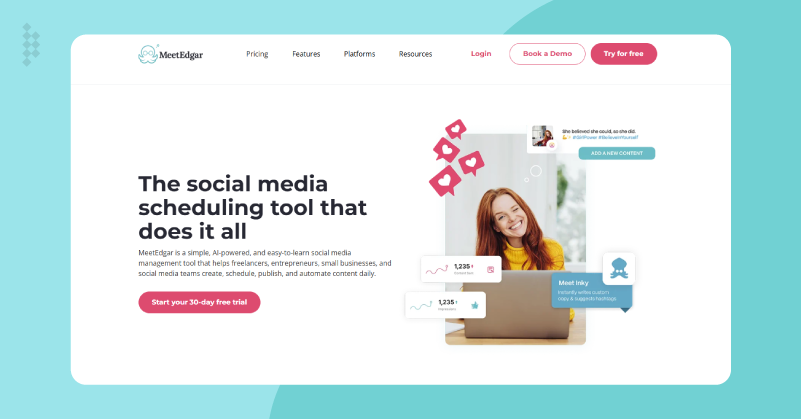
Best for: Busy creators who want to automate their social media and recycle evergreen posts.
Ease of use: A simple drag-&-drop interface makes it easy even for beginners.
Price: A 30-day free trial lets you experience the platform and paid plan starts at $29/month.
MeetEdgar lets you automatically recycle your winning posts without any human intervention. It turns your one library into forever content that feeds across Twitter, Facebook, Instagram, LinkedIn and Pinterest. You can build categories and drag them to the queue, then the AI smartly rotates your content for reposting.
What makes it click? It varies images and texts for each reshuffle to keep things interesting. This is a tool built to make you set and forget by automating the entire process with no daily grind. The complete AI-based automation makes MeetEdgar a reliable Later alternative for small Business for hands-off growth.
Key Features
- Unlimited posts per category as it reshuffles without reposting or deleting your old content.
- AI takes over from the library to create custom schedules that deliver balanced and non-repetitive feeds daily.
- News and blogs are sent straight to the library with different images and text so new social versions are always available.
- One post per network is all you need to create platform variations and preview them before queuing.
- Follow top-rated posts to refine your library and find out what drives engagement the best.
| Pros | Cons |
| Fully automated recycling queues to keep feed live | Lacks stories and video support |
| RSS pull automatically updates latest content | Very limited analytics |
| AI-powered automation lets you set and forget | Supports very fewer platforms |
MeetEdgar vs Later: Which is Better?
MeetEdgar crushes Later’s one-shot planner by automating a bottomless recycling queue to keep your feed live. Later shine itself for visual planning, but MeetEdgar runs on autopilot to give that set and forget vibe. The endless content reuse and planning make MeetEdgar a good social media toolkit for solo scaling.
Wrapping It Up
Finding the right social media management tool can feel like browsing through a market full of options. Are you a solo marketer, a growing small business, or part of a big marketing agency? There’s a Later alternative for everyone.
Whether you need a freebie like Buffer, an all-in-one platform like GUDSHO Social, or an enterprise-level beast like Sprout Social, the market has several top Later alternatives for you to choose from. So, it’s time that you send your brand out front in the digital race with speed, precision and style.
Get ready, gear up, pick your social media toolkit wisely & watch your social presence soar!
 Srinivasan is a Digital Marketer and Blogger with a passion for video marketing solutions and video hosting platforms. He is committed to sharing the latest tech trends, social media management tools ideas and enjoys discussing new technologies, along with helpful tips and tricks. An avid reader, He loves to share his insights with others.